Look up any reservation in seconds — then change it, give it another table, or cancel it.
3 minAnyone on the team
In short
Find reservation → type a name or phone → tap the reservation → Edit reservation, Change table or Cancel reservation.
"We have a reservation under Zeina…" — here's the thirty-second routine.
1
Search for it
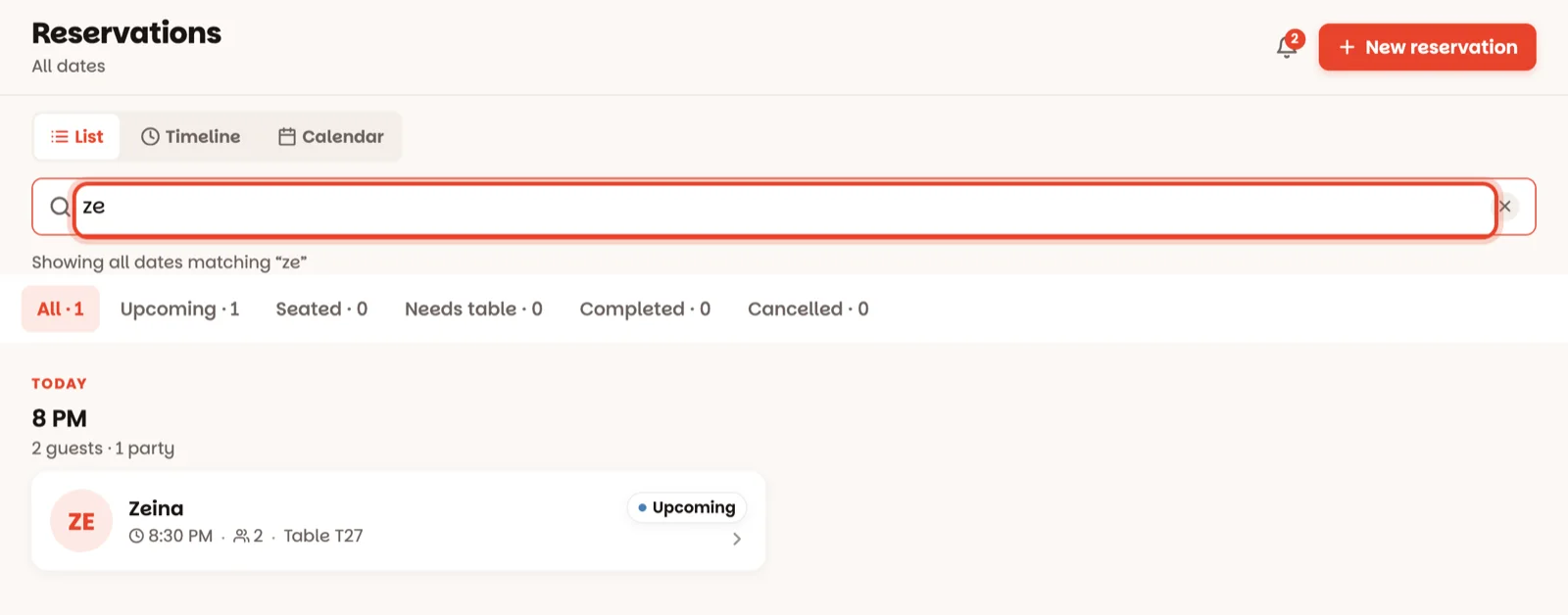
On the home screen, tap Find reservation — or open Book. Type a name or a phone number in the search box. It looks across every day, from about a month ago to three months ahead, so next Friday's reservation turns up as easily as tonight's.
2
Tap the reservation
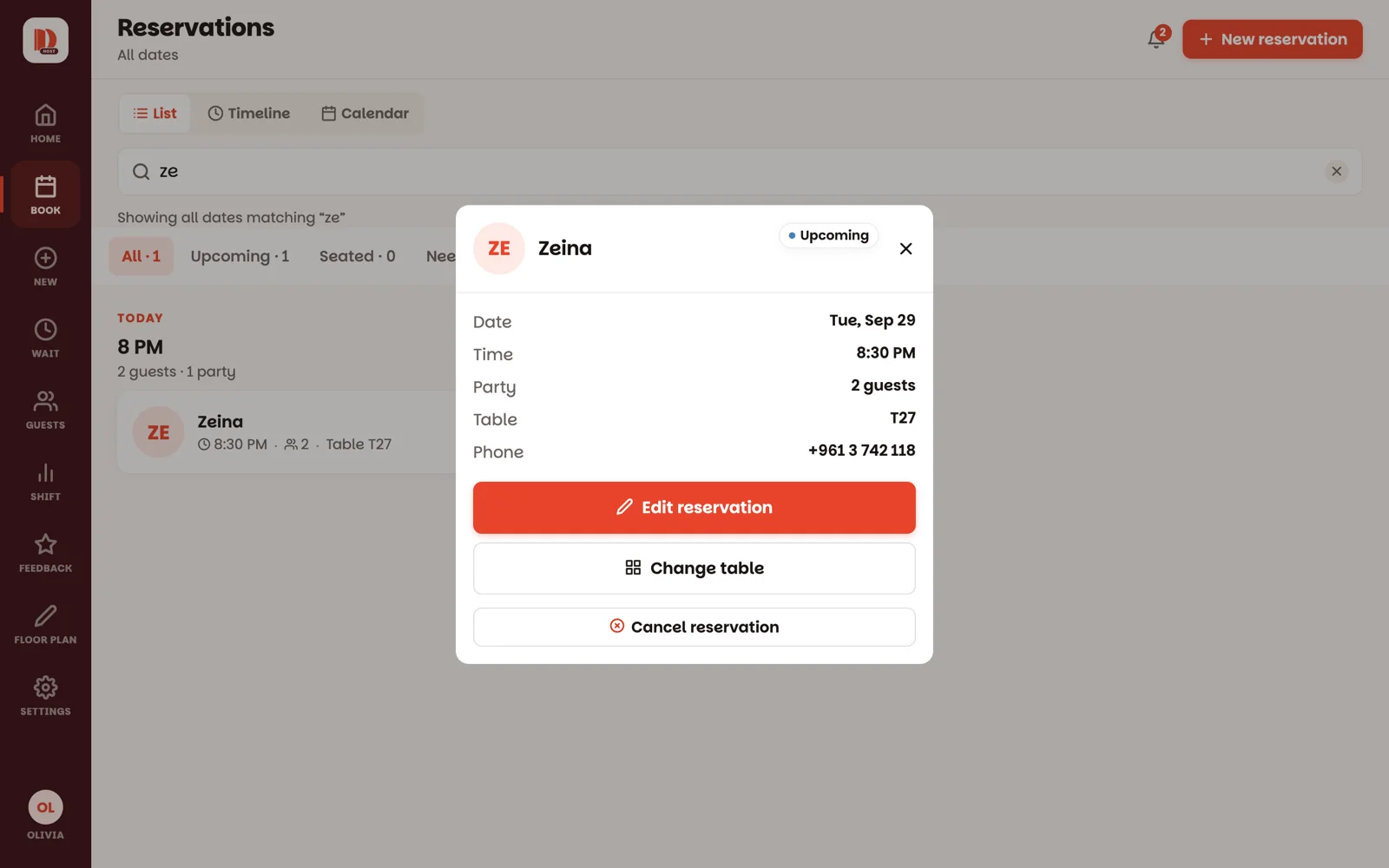
Everything about it on one card: date, time, party size, table, phone and notes — and its status:
Upcoming — not here yet.
Late — 15 minutes or more past their time, and not here yet.
Seated — at their table now.
Completed — been and gone.
No-show and Cancelled — not coming.
3
Change what needs changing
Edit reservation — change the name, phone, party size, day, time or notes. Then Save changes.
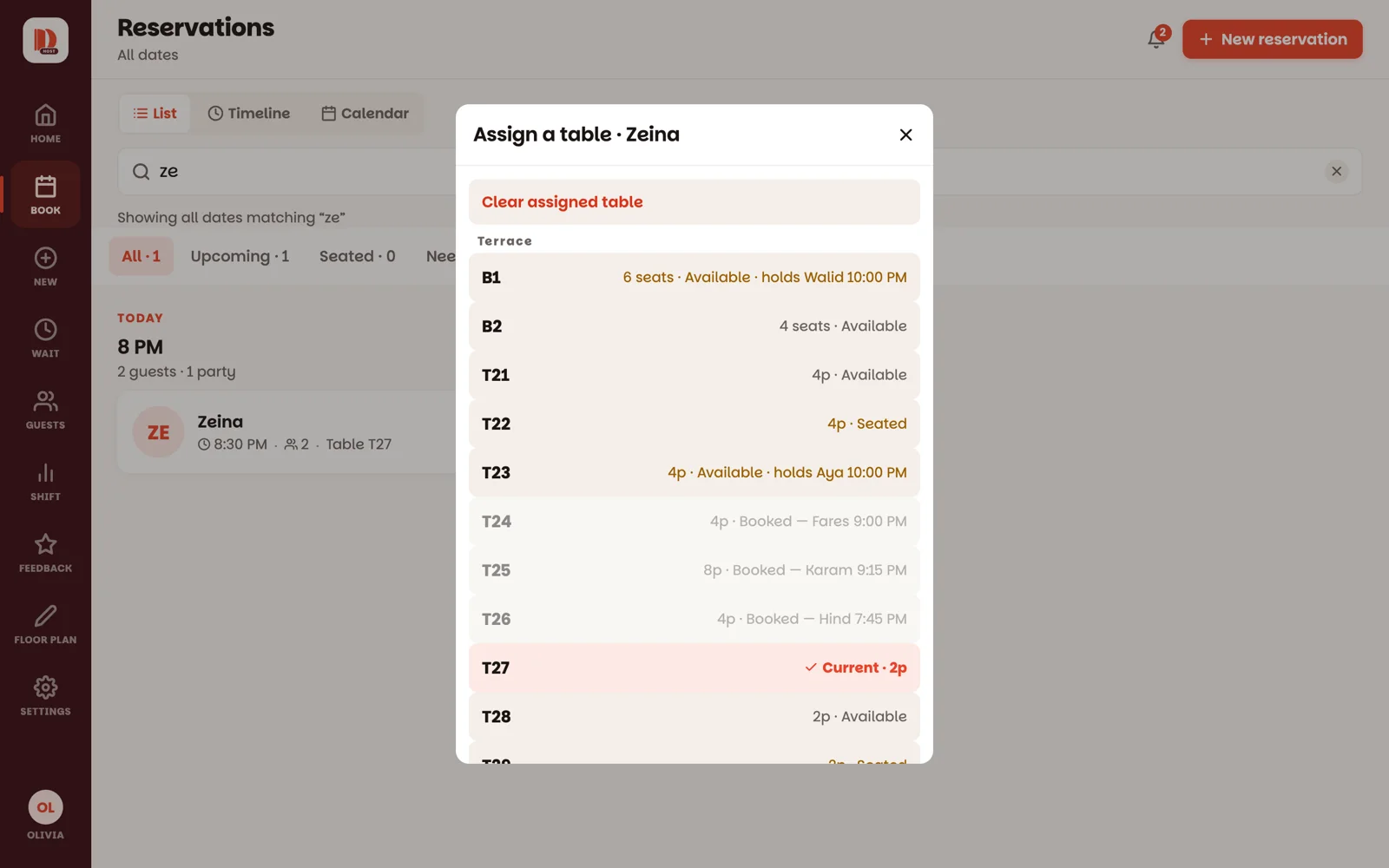
Change table — or Assign table if it has none yet. Tables are grouped by room, and the best free fit is marked Best fit. A table that's taken, too small or out of service needs a second tap; one that's already reserved at that time can't be picked at all.
4
Cancel it, or mark a no-show
Cancel reservation — the button changes to Tap again — cancel. The second tap does it.
Their time has passed and they never came? Mark no-show, then Tap again — no-show.
They turned up after all? Undo no-show — they arrived puts the reservation back.
Three ways to look at Book
Use the buttons at the top of Book to switch:
List — the day's reservations by hour, with the search box and the filters: All, Upcoming, Seated, Needs table, Completed, Cancelled.
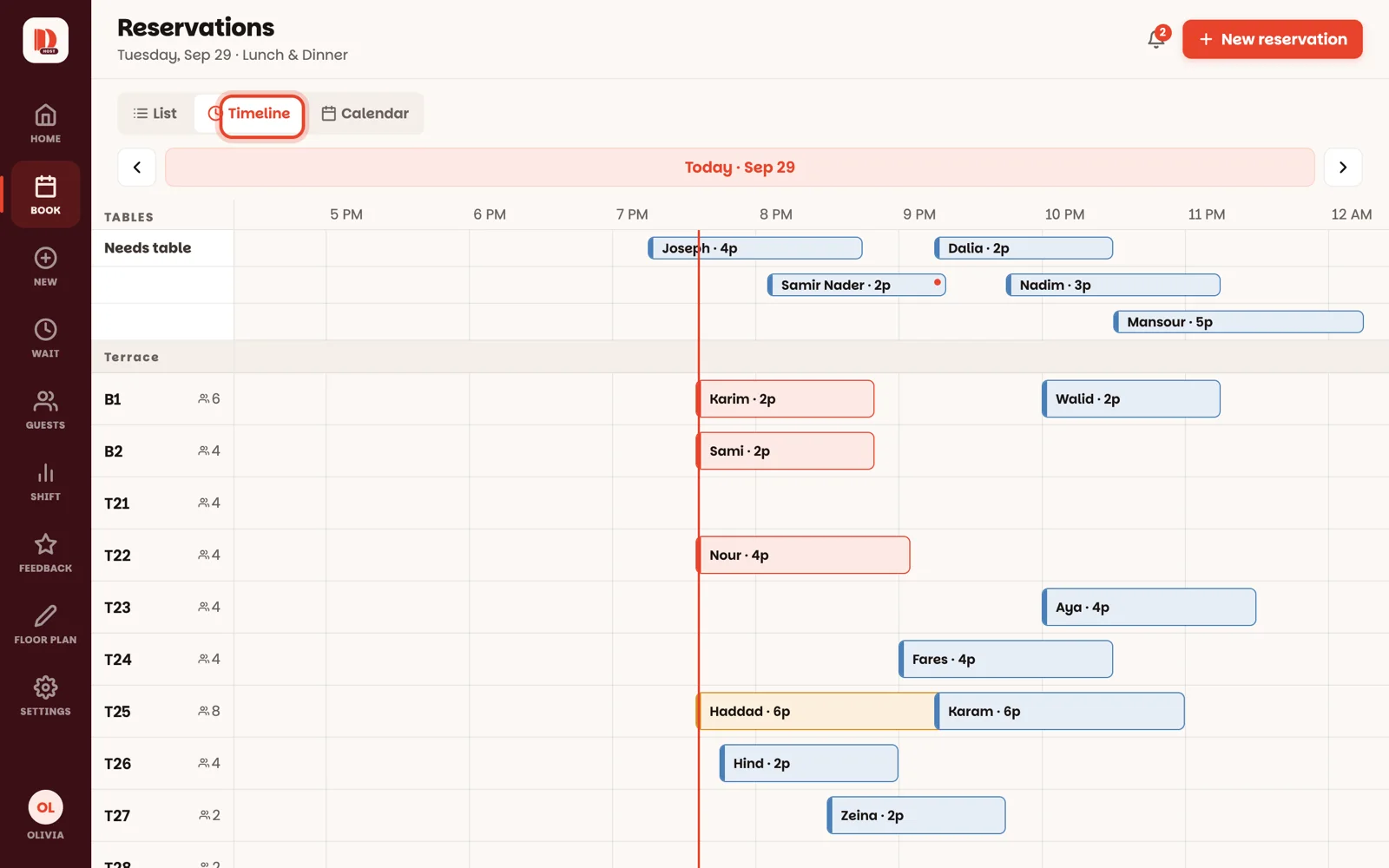
Timeline — every table is a row and the day runs left to right, so you see gaps and clashes at a glance.
Calendar — the whole month: how many guests are booked each day. Tap a day to see its reservations.
The arrows either side of the date move a day back or forward; tap the date to jump back to today.
Good to know
Tap the Needs table filter before the rush and give each of those reservations a table — the night runs itself after that.
Reservations made in the Dinesty app for diners say so on the card. You seat them and give them tables like any other, but the guest changes their own details in the app.
A party that's already seated has no buttons here: close them or move them from the floor.
New reservations that guests make themselves, and their cancellations, also appear under the bell at the top of every screen — tap one to open it.