
Tap a green table, then Combine tables
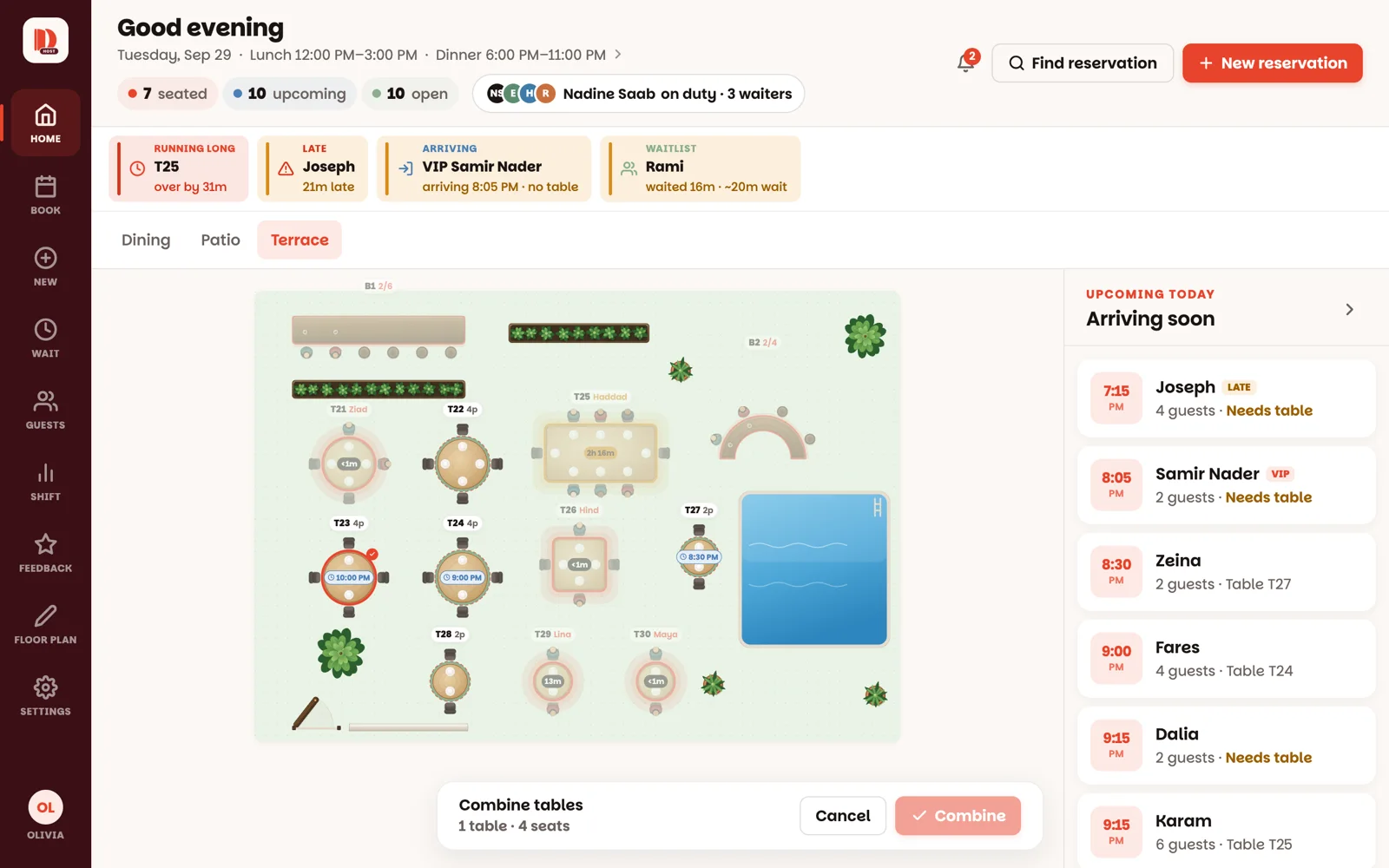
The floor switches to combine mode. The table you started from is already picked. Tables that can join it — open tables in the same room — get a dashed red ring; everything else fades back.
Tap the tables to join
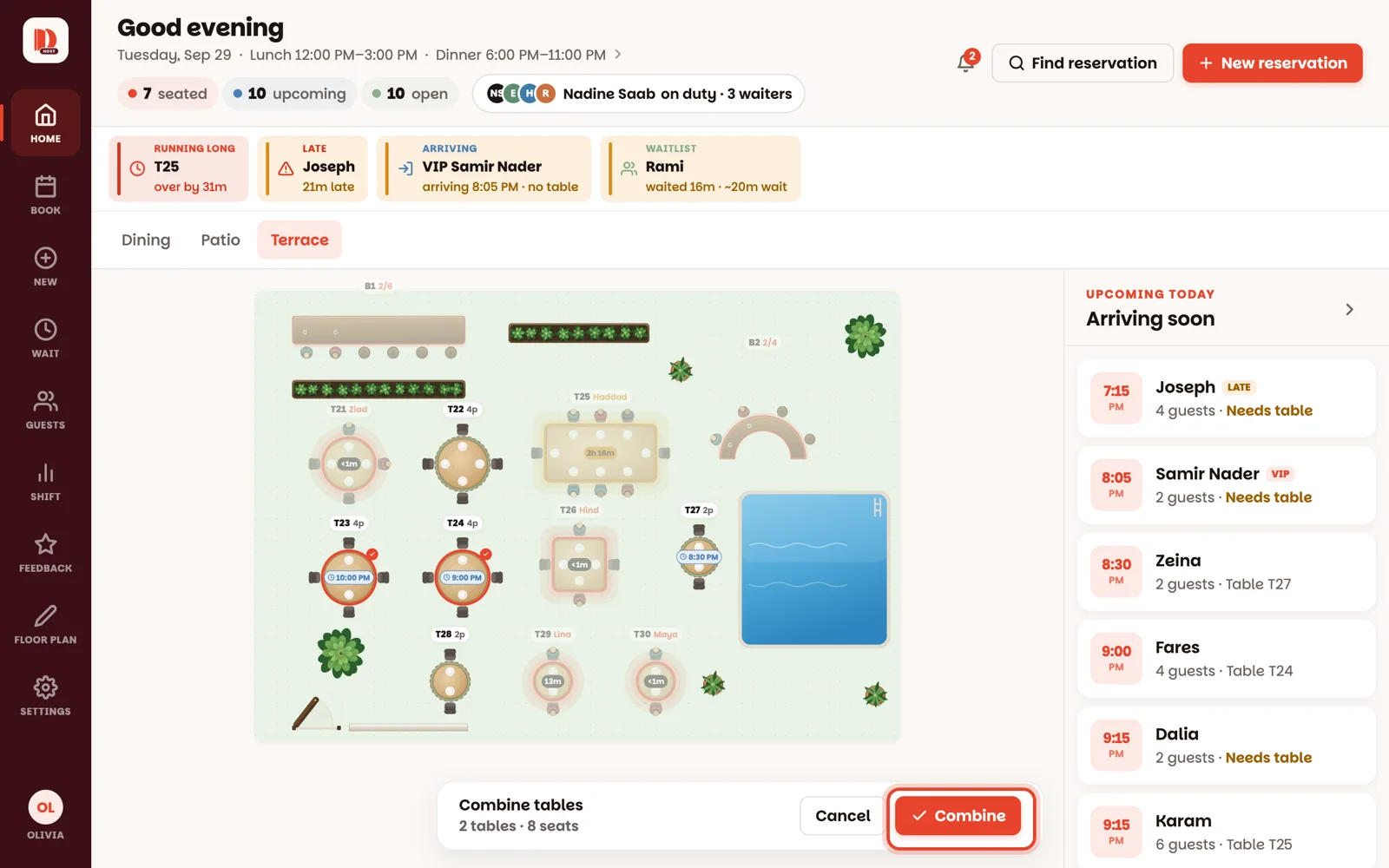
Each tap adds a table; tap it again to take it out. The bar at the bottom keeps count — 2 tables · 8 seats. When it's right, tap Combine.
Seat them as one table
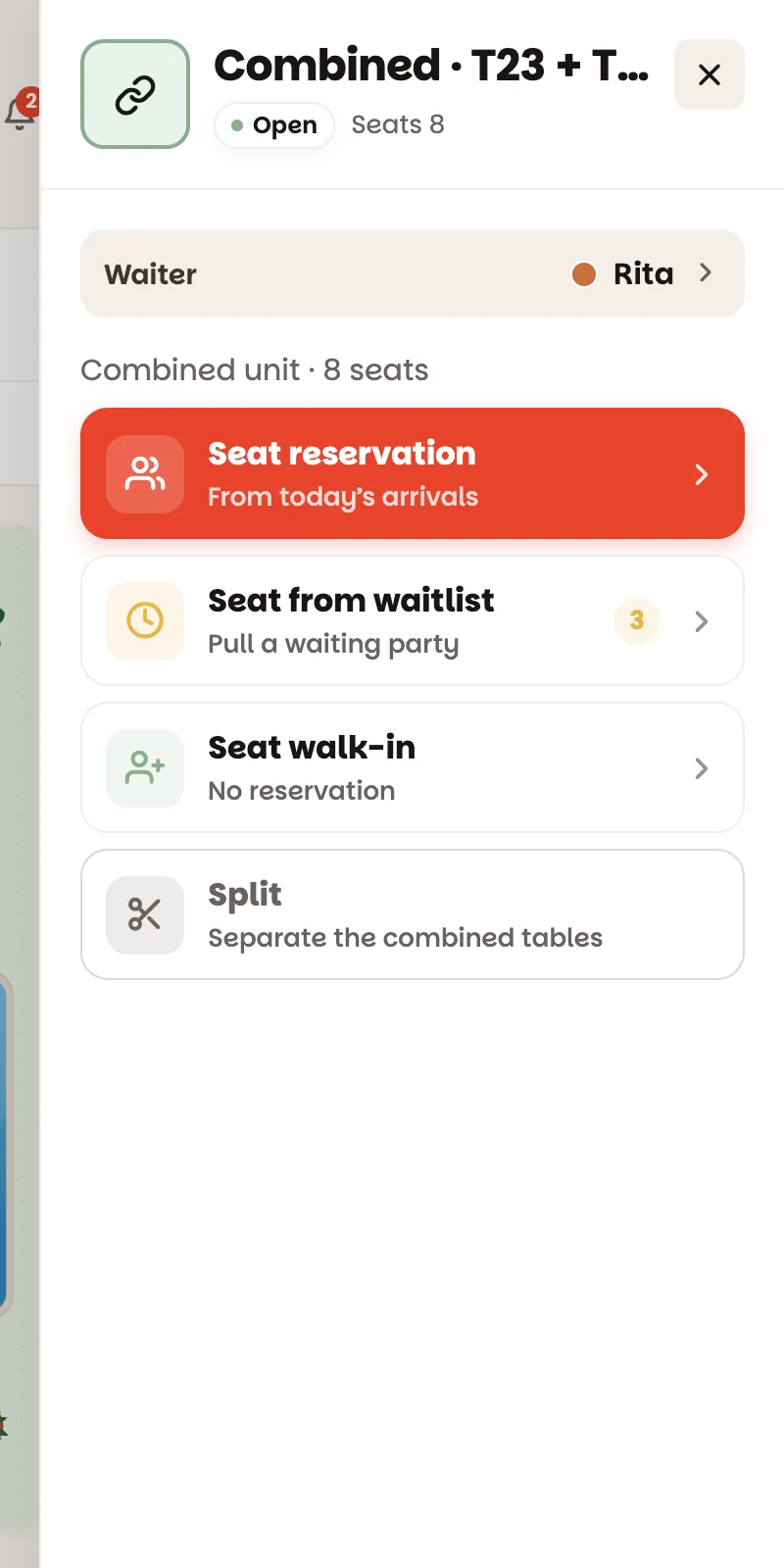
The tables now act as one big table: one party, one name, one timer. On the floor they're drawn joined together, so everyone can see they're one. Tap it — the panel's title starts with Combined, then the table numbers — and seat them like any table: Seat reservation, Seat from waitlist or Seat walk-in.
When they leave, just close it
Close check ends their meal like on any table — and the tables go back to being separate on their own. Pushed them together by mistake? Split separates them.
Bars can't be combined, and the tables must be open and in the same room.