The party's leaving. Close the table, get it cleaned, get it back in play.
2 minAnyone on the team
In short
Red table → Close → it shows Cleaning → when it's ready, tap it → Mark ready.
1
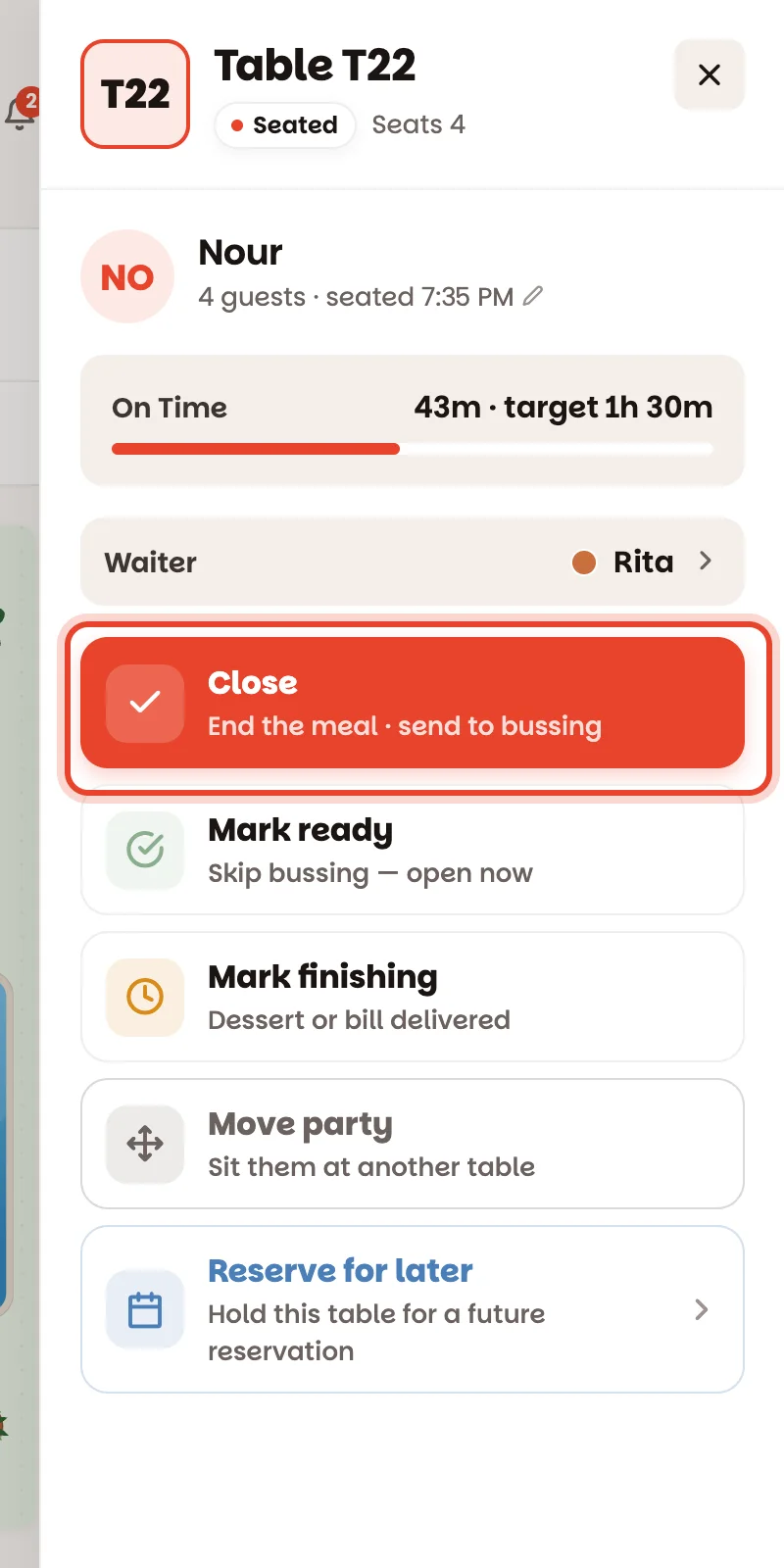
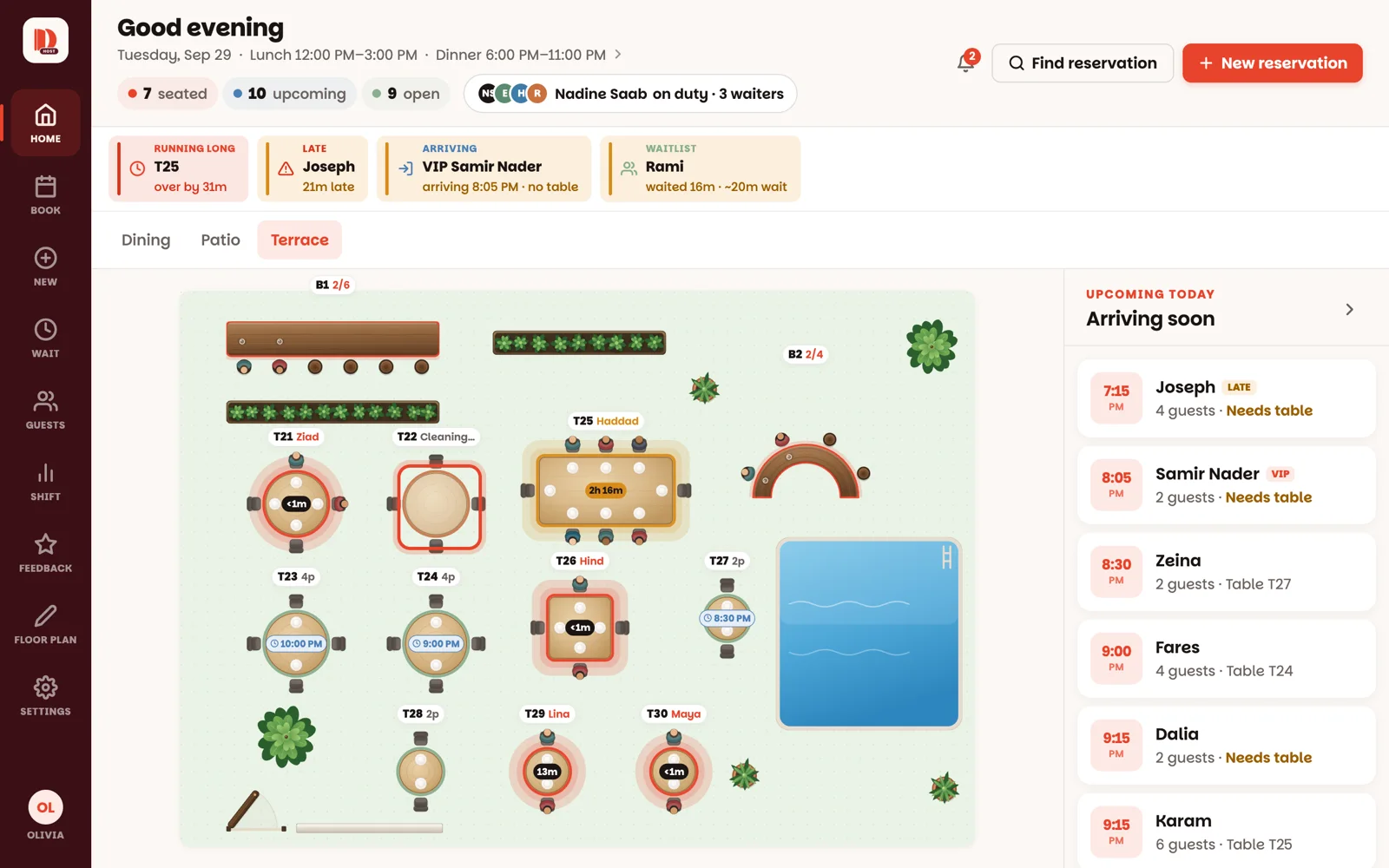
Tap the red table
The panel shows who's on the table and the turn card — 43m · target 1h 30m — how long they've been there against how long a party that size usually stays.
2
Tap Close
Close ends the meal and records the visit. The table shows Cleaning on the floor, so everyone can see it's being reset, not free.
3
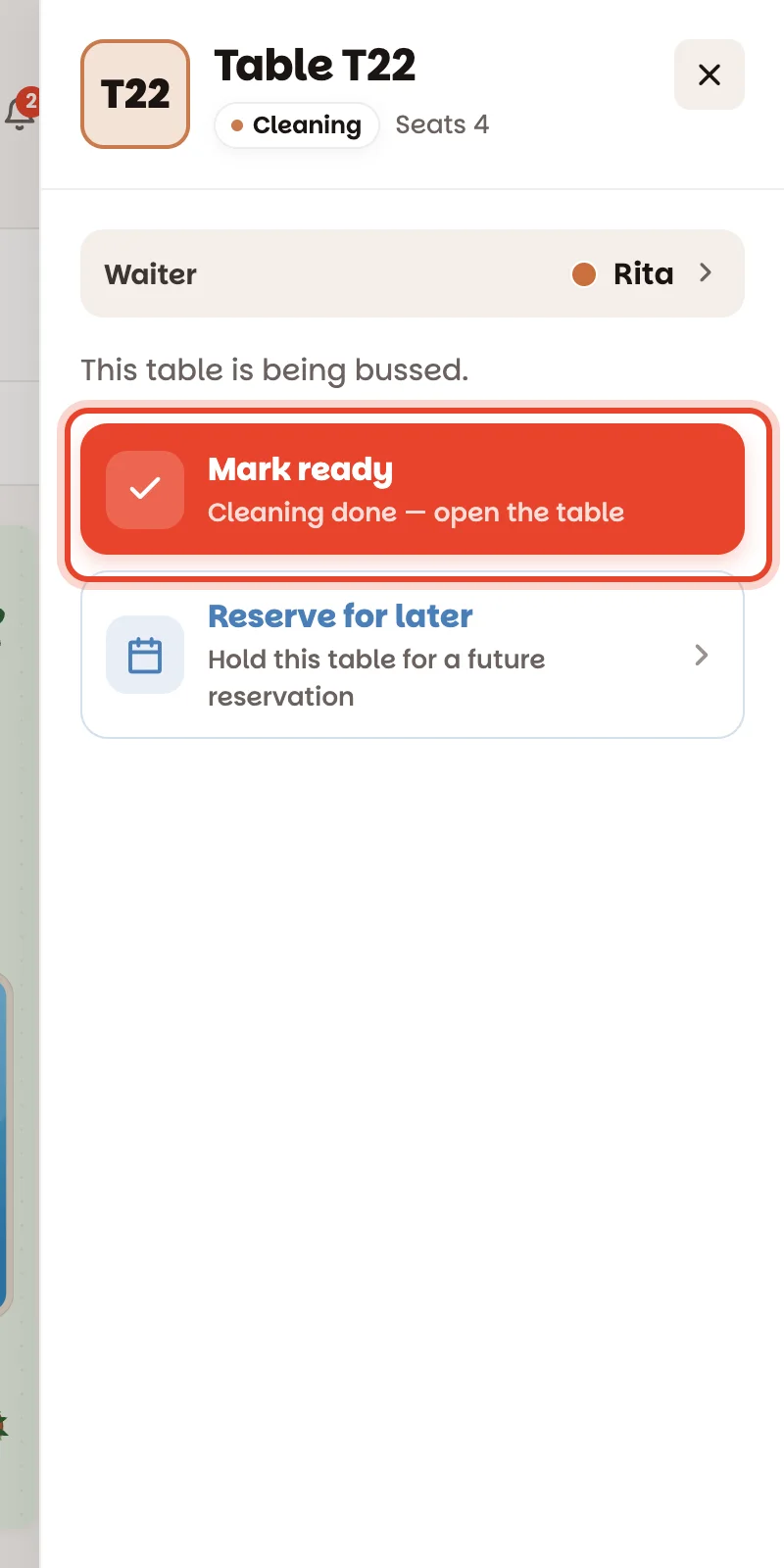
Cleaned? Mark ready
Tap the table, then Mark ready. It's green again — back in play for the next party.
The shortcuts
Table already clean when they leave? On the red table, Mark ready skips cleaning and opens it in one tap.
Dessert or the bill just landed? Mark finishing turns the table amber, so the whole team can see it frees up soon.
Party wants to move? Move party — see Move a party.
Close and Mark ready are single taps and can't be undone — tap them when the party has really left.
Good to know
An amber timer means the party has stayed longer than usual. It's a nudge to check on them, nothing more — nobody is rushed by the app.
If a table runs well past its time (20 minutes, out of the box), a Running long chip appears above the floor.
At a bar, every party has its own Close in the panel, so couples can leave one at a time.
Combined tables close together — and go back to being separate tables by themselves.
How long each party size usually stays is set by a manager under Settings ▸ Service timing.