Their table is ready — move a waiting party onto it in a couple of taps.
1 minAnyone on the team
In short
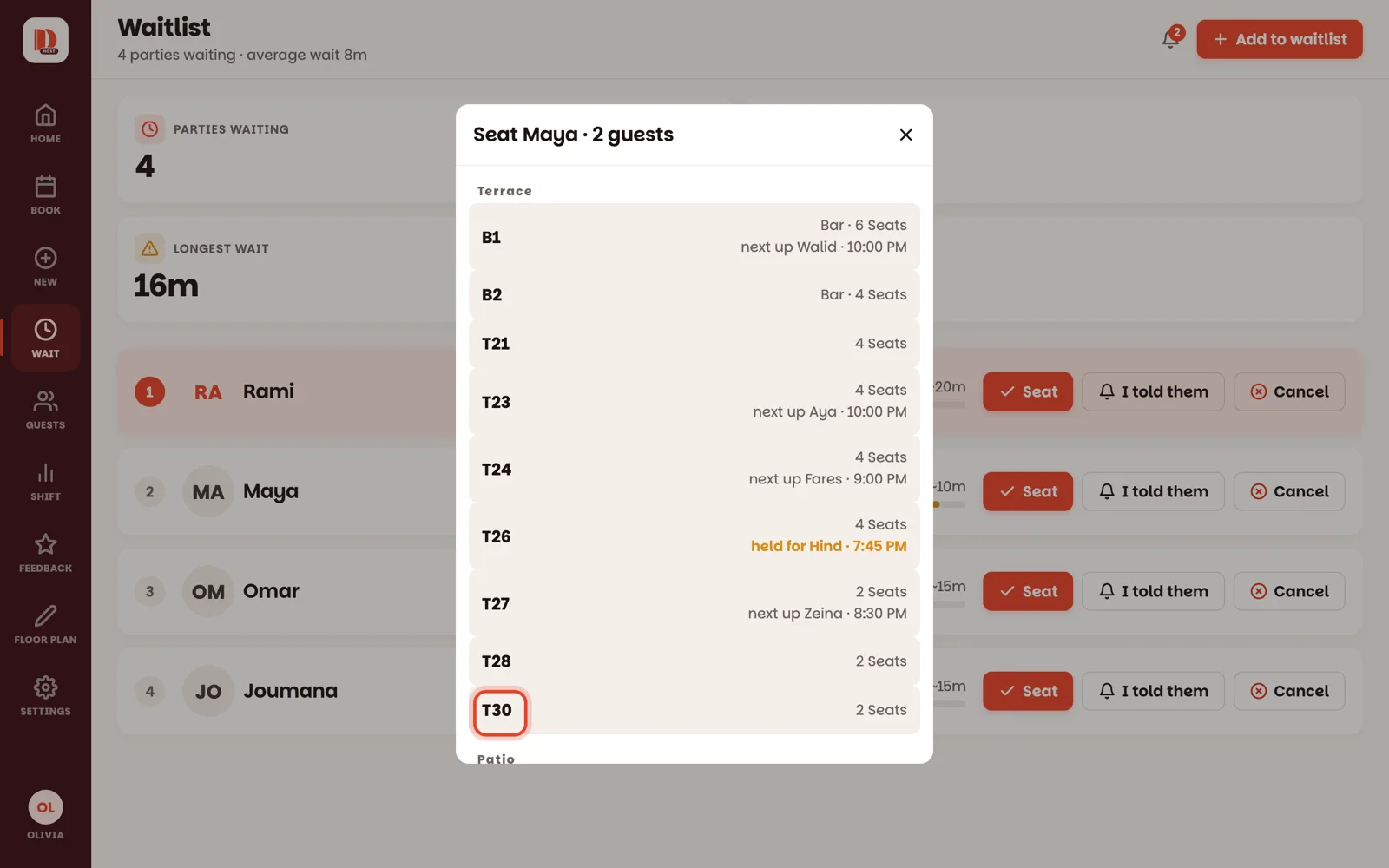
On Wait, tap Seat on the party → tap the table.
Two ways to the same result. Use whichever screen you're already on.
1
From the waitlist: tap Seat
On Wait, tap Seat on the party. A list of open tables appears, by room — tap the one you're giving them. They're seated, and they're off the waitlist.
2
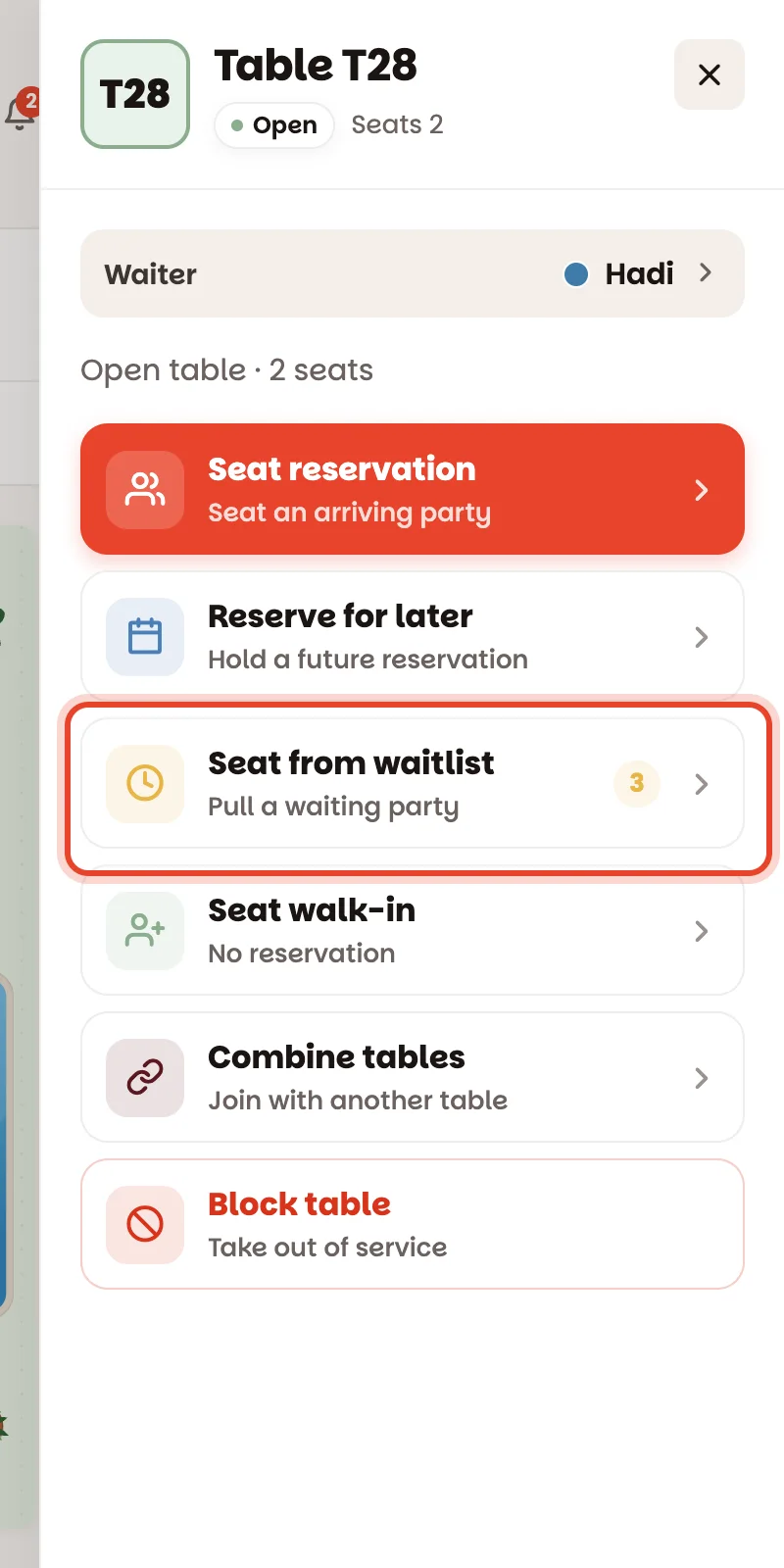
From the floor: tap the table first
Standing at the floor and a table just freed up? Tap it, then Seat from waitlist, then tap the party. The little number on that row shows how many are waiting.
Bars count too — a waiting couple can go straight to two stools. Pick the bar like any table.
Good to know
First in line is at the top. A waited time in amber means they've reached the wait you gave them — they should go next.
Table too small for the party? The list says so (too small for 6). Tap it once more to seat them anyway — two chairs pull up faster than a mood sours.
A table marked held for Hind · 7:45 PM is keeping a spot for a reservation. You can use it, but you'll need another table for Hind.
Waitlist parties land in Book as walk-ins, so the night's record stays complete.