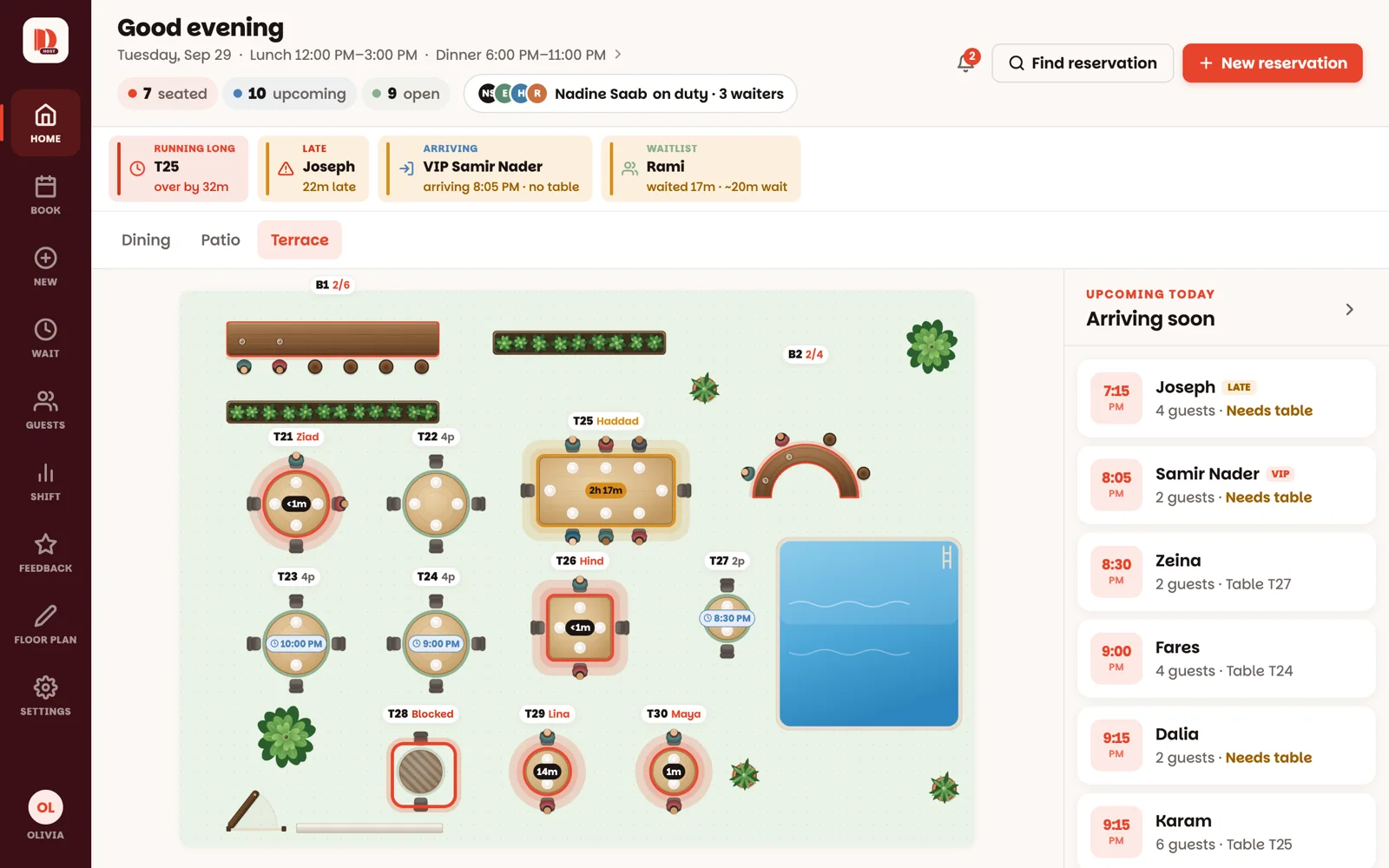
Wobbly leg, private setup, short-staffed corner — take a table out of play.
1 minAnyone on the team
In short
Tap a green table → Block table. To bring it back: tap it → Unblock table.
1
Tap the table, then Block table
On any open table, Block table — "Take out of service". It turns grey with stripes, nobody can be seated on it, and it stops counting as an open table.
2
Bring it back with Unblock table
Tap the blocked table and choose Unblock table. It's green and ready again. Nothing about the night's records changes.
Blocking doesn't move anyone. If the table has reservations tonight, the button says so — 1 reservation tonight will need a new table — and you'll need to give those reservations another table in Book.
Good to know
Block honestly and your numbers stay honest: the open-tables count and tonight's numbers skip blocked tables.
Blocking is for out of service. To keep a table for a particular reservation, use Reserve for later on the table, or give the reservation a table in Book.
A whole bar can be blocked the same way (Block bar) — once everyone seated there has left.