Which reservations you take — pausing them, same-day, the bar, phone numbers for big groups, how far ahead.
2 minManagers & owners
In short
Settings ▸ Reservation rules → flip the switches you need → Save rules.
1
Open Settings, then Reservation rules
A list of switches:
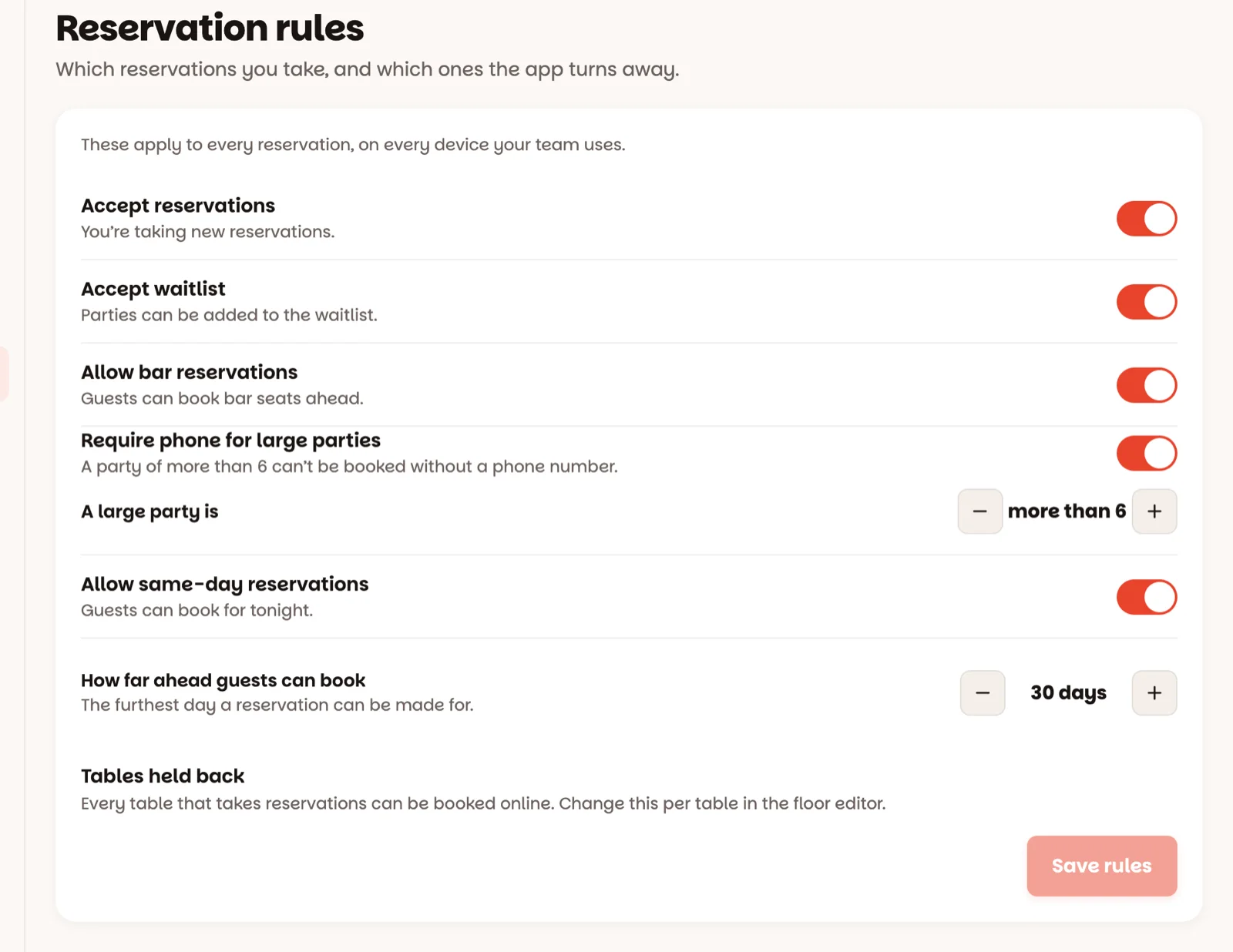
Accept reservations — the emergency brake. Off, and new reservations are turned away; the reservation button on Book reads Paused. The reservations you already have are not affected.
Accept waitlist — the same for the waitlist. Off, and the Add to waitlist button reads Closed.
Allow bar reservations — off keeps the bar walk-in only.
Require phone for large parties — a big group can't be booked without a phone number, so someone can confirm. A large party is sets how big: more than 6, out of the box.
Allow same-day reservations — off means the earliest anyone can book is tomorrow. Walk-ins and the waitlist still work.
2
Set how far ahead guests can book
How far ahead guests can book is the furthest day a reservation can be made for — 30 days out of the box. Each tap moves a week.
3
Tap Save rules
Nothing changes until you save. Save rules — Rules saved, on every device. Changed your mind before saving? Discard.
Good to know
Pausing reservations doesn't touch the ones you have — tonight's book stays exactly as it is.
Under the switches, Tables held back lists the tables guests can't book themselves, and the walk-in-only ones. You change those per table in the floor plan.
Staff can see the rules; the switches are for managers and owners.