
Two small screens under Settings. Nothing here does anything until you set it — a restaurant that never opens them takes reservations exactly as before.
Open Settings, then Pacing
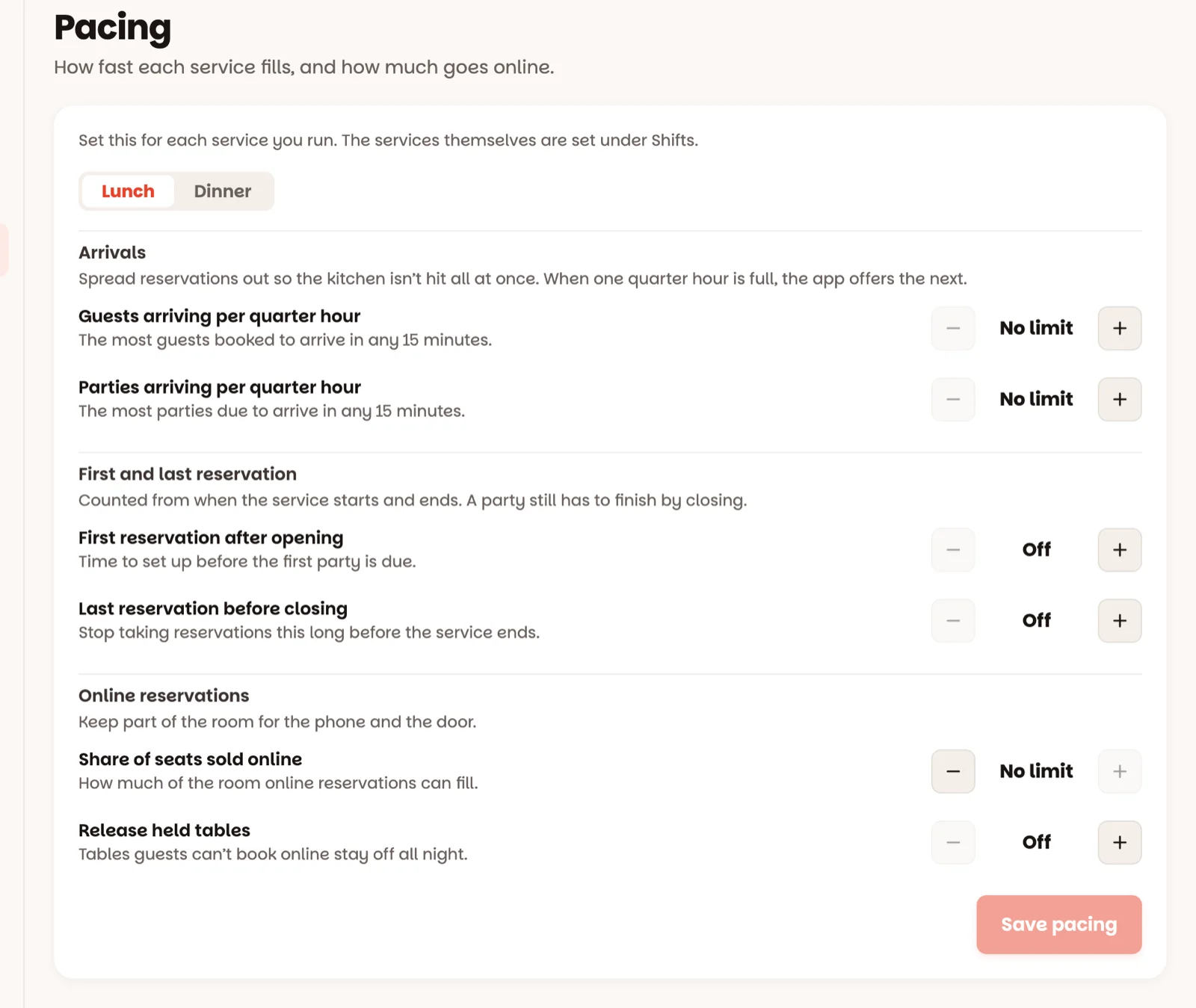
If you run more than one service, pick it with the tabs at the top — Lunch pacing, Dinner pacing — because a Tuesday lunch and a Saturday dinner are not the same room. Then:
- Guests arriving per quarter hour — the most guests who can be booked to arrive in any 15 minutes. When a quarter hour is full, the reservation screen says so and suggests the next time with room. This is what stops the kitchen getting the whole book at 8:00.
- Parties arriving per quarter hour — the same idea, counted in reservations instead of guests.
- First reservation after opening and Last reservation before closing — counted from that service's own start and end. A party still has to finish by closing either way.
- Share of seats sold online and Release held tables — limits for reservations guests make themselves. Leave them as they are unless you take online reservations.
Tap Save pacing — Pacing saved.
Open Settings, then Closures
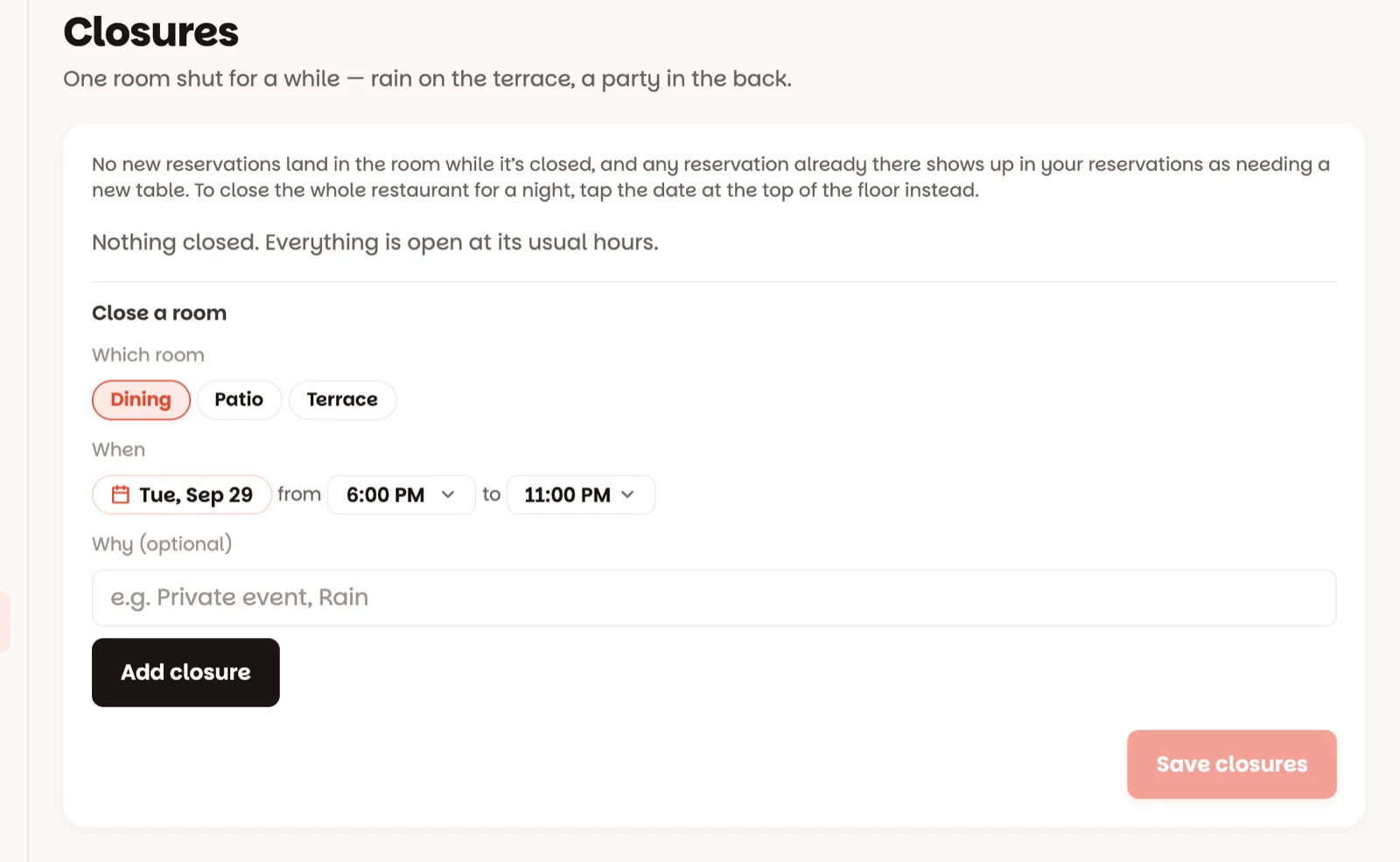
Close one room for a stretch of time: rain on the terrace, a private party in the back room, a deep clean. Pick Which room, the day and the times under When, add a reason in Why (optional) if you like, then Add closure and Save closures.
An end time earlier than the start runs into the next morning — a party in the back room until 2 AM is the usual case, and the form says so: Closed overnight, reopening the next morning.
While a room is closed, no new reservation lands there. Reservations already in that room aren't cancelled — they show in Book as Room closed — needs a table, so you can move them.
The host can always go past a full quarter hour, a last reservation time or a closed room with Book anyway — these are your rules, not the app's. Guests booking themselves can't.
Good to know
- Closing the whole restaurant for a night is done from the floor: tap the date at the top and Close today (how).
- Rules apply to new reservations from now on — ones already made are left alone.
- A new service starts with no limits at all, until you set some here.
- Managers and owners set these; staff can see them.