
If you work at more than one restaurant — or your restaurants belong to one company — you switch between them from your account menu.
Open your account menu, then Switch branch
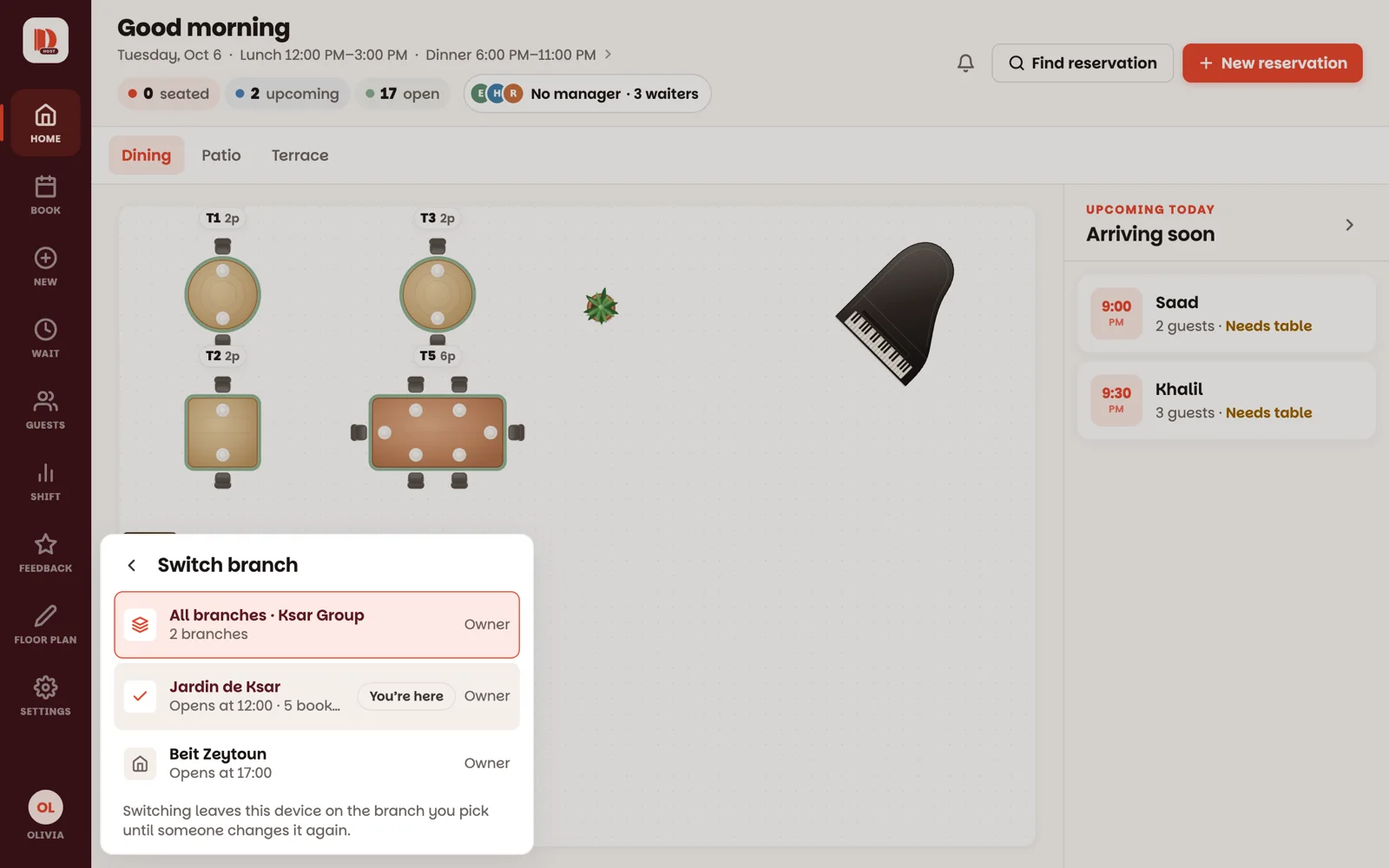
Tap the round picture with your initials at the bottom of the menu on the left. On a phone, tap More in the bottom bar, then the row with your name (how).
Under Working in you see the branch you're in now. Tap Switch branch and pick another one — the whole app switches to it: floor, reservations, guests. A branch with a green mark is in service right now.
The device stays on the branch you picked until someone changes it.
All branches at once
If your company is set up with Dinesty, the list starts with All branches. Tap it to see every branch side by side:
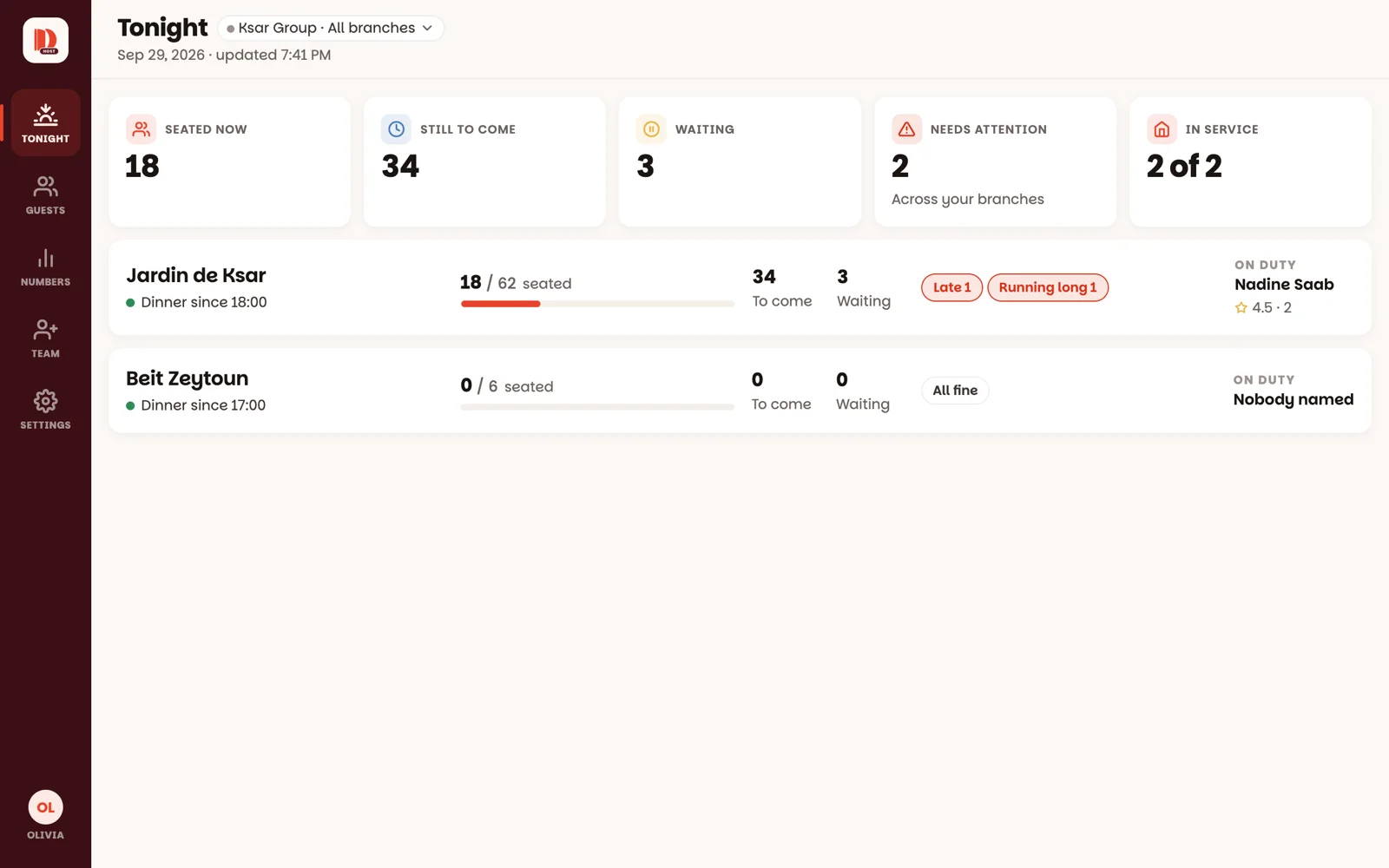
- Tonight — each branch now: seated, still to come, waiting, and anything that needs attention. Tap a branch to jump to its floor.
- Guests — one guest book for the whole company: who has been to more than one branch, and where.
- Numbers — the last 7, 30 or 90 nights, branch by branch (managers and owners).
- Team and Settings — for the company's owner.
To go back to one branch, open your account menu, tap Switch branch and pick it.
Good to know
- Switching branches starts that branch fresh — finish what you're typing first.
- Adding a branch to your company, or a new company, is done by Dinesty. Just ask.