
Host can tell your guests the things you'd otherwise call them about: that their reservation is confirmed, a reminder before they come, and — from the waitlist — that their table is ready. Messages go out on WhatsApp, with your restaurant's name and photo in them. Guests who gave an email on your page also get a confirmation email in your colours, with the reservation ready for their calendar.
Everything starts off. You choose what goes out.
Before you start: your reservation address
Every message carries the guest's own link to see or cancel their reservation, so it needs your address: Settings ▸ Online reservations → Reservation address. The page itself doesn't have to be live. Open your reservation page
Choose what guests get
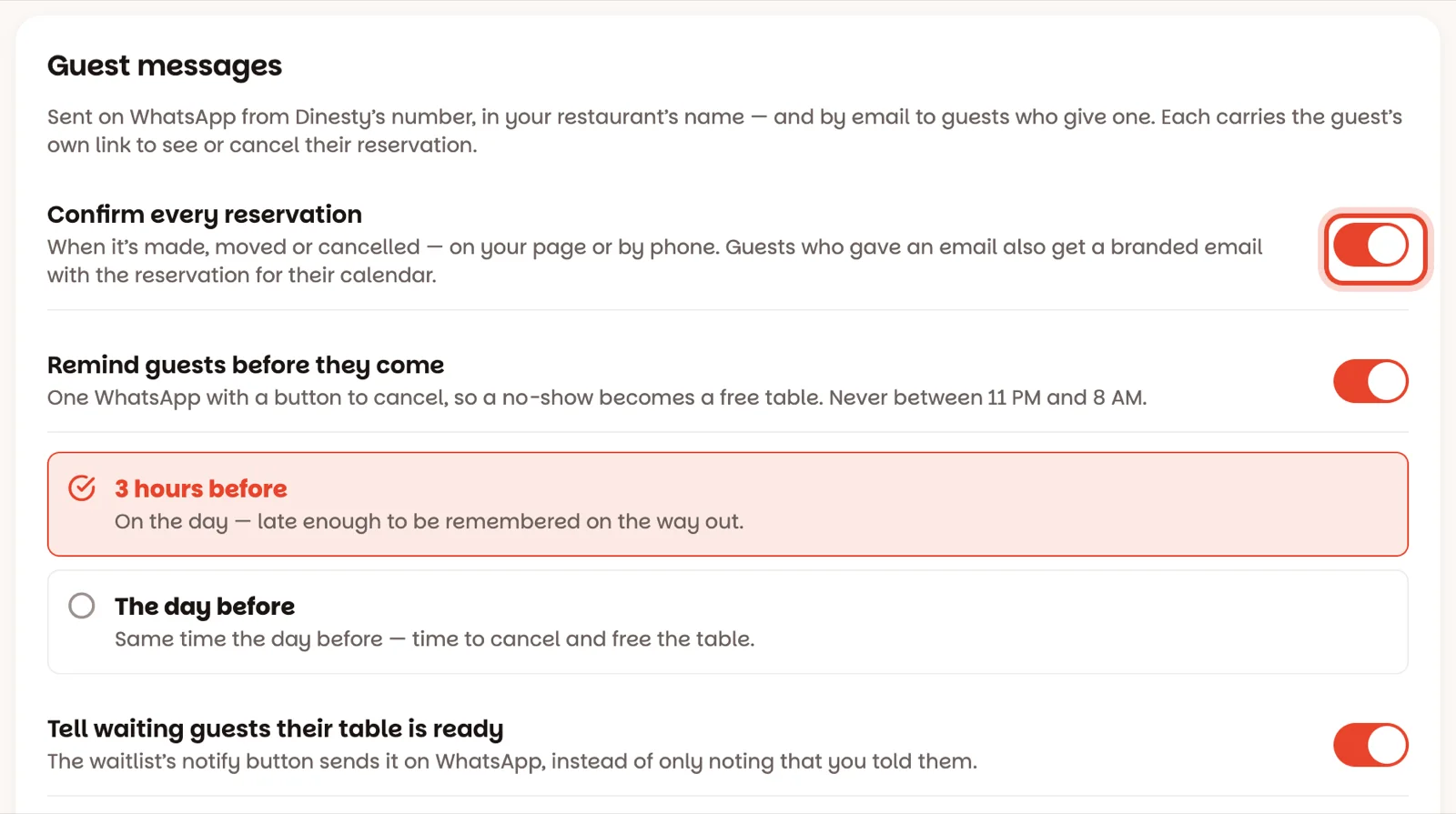
Open Settings ▸ Guest messages:
- Confirm every reservation — when a reservation is made, moved or cancelled. It covers the ones you take on the phone as well as the ones made on your page.
- Remind guests before they come — then choose 3 hours before or The day before. The reminder asks whether they're still coming: I’m coming tells you they are, and Can’t make it lets them cancel, so a guest who can't make it frees the table instead of not showing up.
- Tell waiting guests their table is ready — the waitlist's notify button sends it on WhatsApp.
Tap Save messages.
See exactly what they'll read
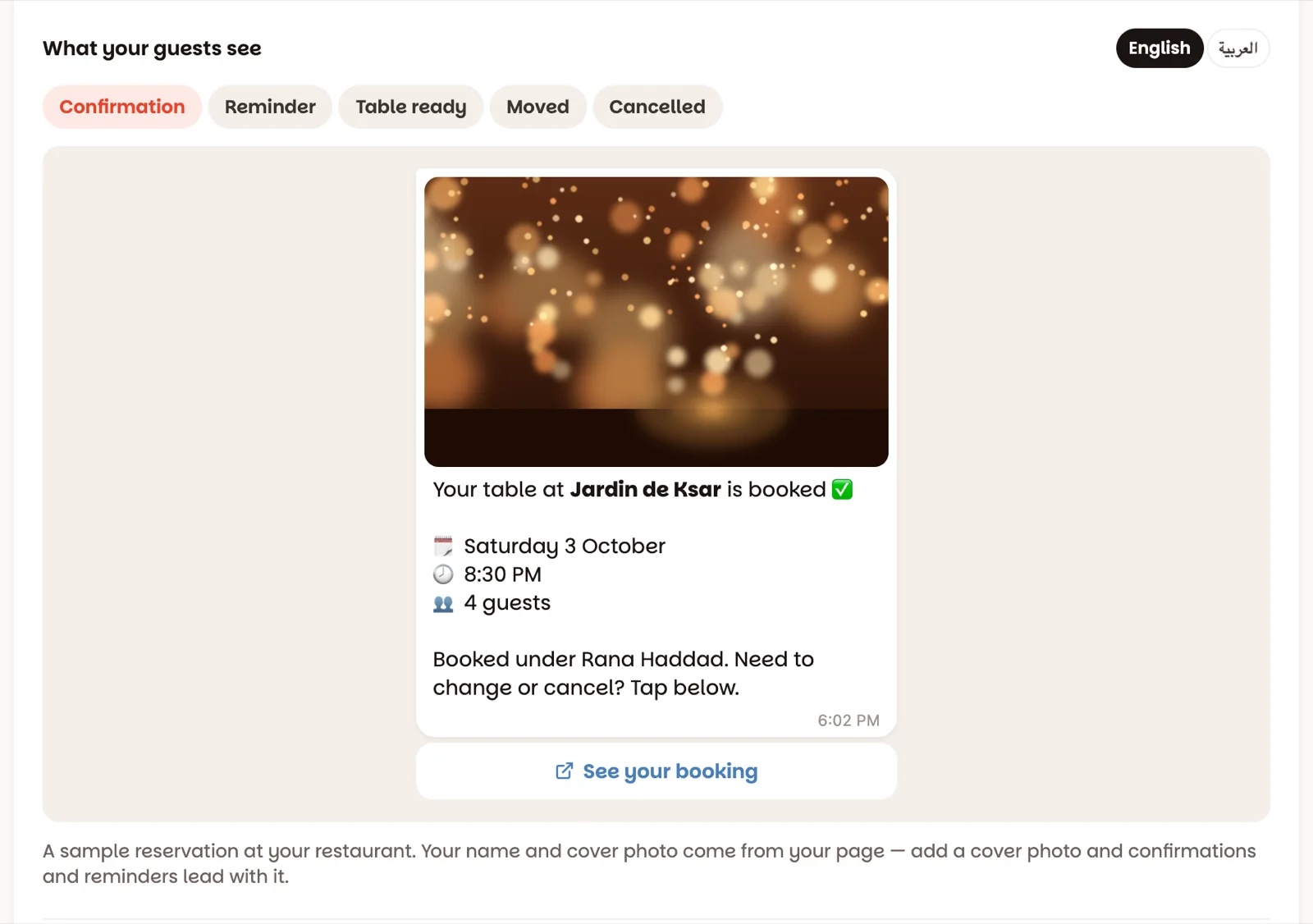
Under What your guests see, tap Confirmation, Reminder, Table ready, Moved or Cancelled, in English or العربية. That's the real message with your restaurant's name in it. Add a cover photo under Online reservations ▸ Your page and confirmations and reminders lead with it.
Send yourself a test
Type your own WhatsApp number (and your email, to see the email too) under Send yourself a test, and tap Send test. A sample confirmation arrives in a few seconds. Nothing is reserved.
What guests get, and when
- Reserved — straight away, on the page or by phone, when the reservation has a phone number.
- Moved — when you change the time, the day or the number of guests.
- Cancelled — only to guests who were told about the reservation in the first place.
- Reminder — 3 hours or a day before. Never between 11 PM and 8 AM (it waits until morning), and not for a reservation made in the last hour before it would go.
- Table ready — when you tap Send ‘table ready’ on the waitlist. Run the waitlist
Guests read their messages in the language they reserved in on your page; reservations taken by phone use your page's language.
See what each guest was sent
Open any reservation on Book: under its details you'll see WhatsApp confirmation sent · 6:02 PM, the reminder still to come — WhatsApp reminder at 5:30 PM — and anything that didn't go, with the reason: that number isn't on WhatsApp. Then it's worth a call.
When a guest taps I’m coming on their reminder, the reservation says Guest said they’re coming · 5:12 PM and its card on Book shows COMING. The guests without it are the ones worth a call before a busy night. If you move a reservation to another time, the mark goes: they said yes to the old time.
Good to know
- Messages come from Dinesty's WhatsApp number, in your restaurant's name. Nobody reads replies to that number — the buttons in each message lead to the guest's reservation, with your phone number to call.
- Reservations from the Dinesty app get their messages from the Dinesty app. Walk-ins get nothing.
- Only owners can change these switches. Managers can see them.