
Everything about you — not the restaurant — lives behind one button: the round picture with your initials at the bottom of the menu.
Open your account menu
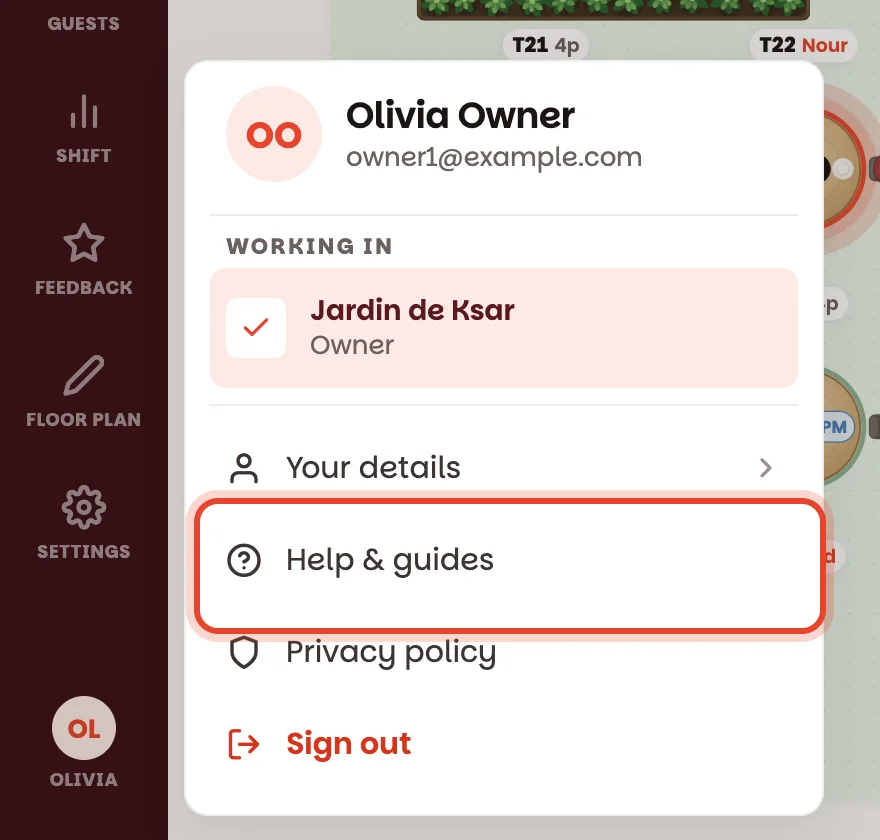
Tap the round picture at the bottom of the menu on the left. On a phone, tap More in the bottom bar, then the row with your name at the bottom of the list.
The menu shows your name and email, the restaurant you're working in right now with your role underneath (Owner, Manager or Staff), and four buttons:
- Your details — your name, email and role.
- Help & guides — opens these guides in your browser.
- Privacy policy — what the app keeps and why.
- Sign out — in red, at the bottom.
Stuck? Tap Help & guides
It opens the guide for the screen you were just looking at — tap it while you're on the waitlist and you land on Run the waitlist. From a screen without its own guide, you land on the guides' home page, with a search box at the top.
Change the name your team sees
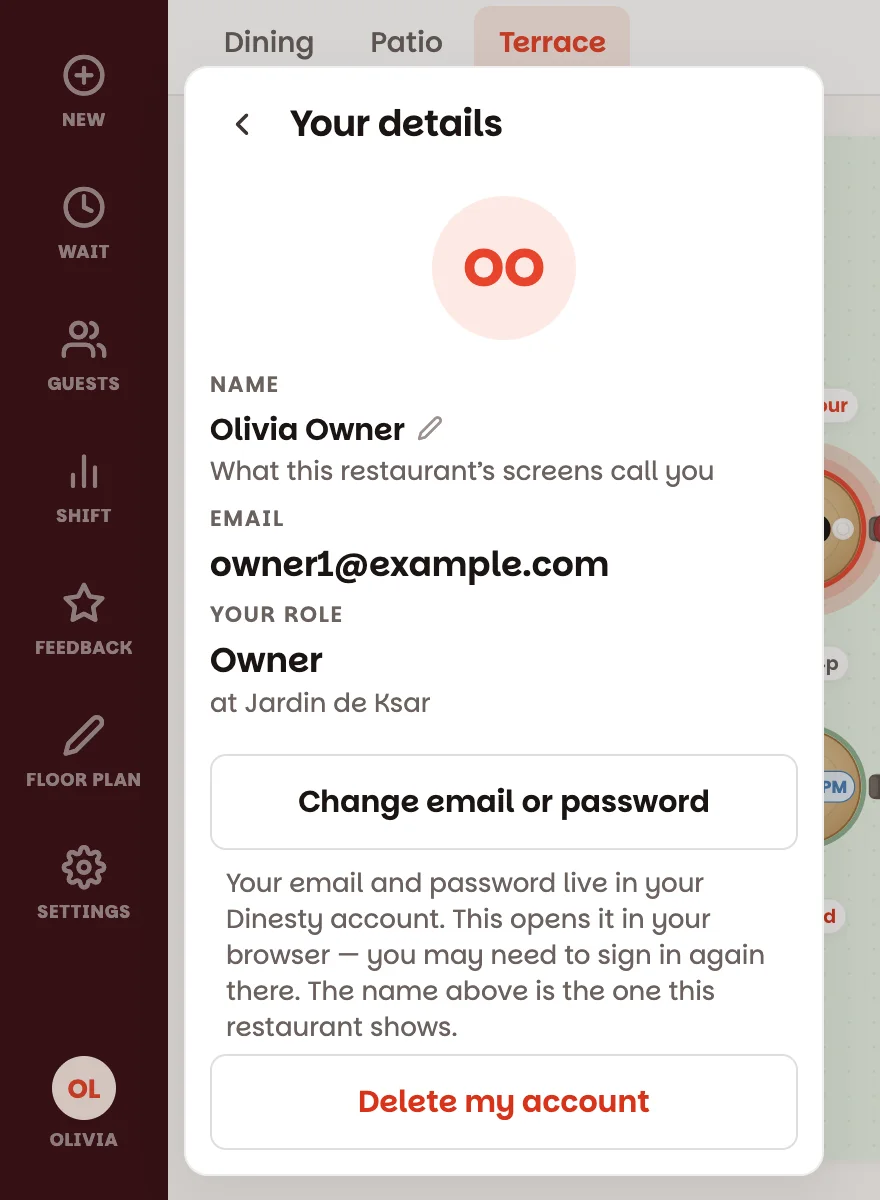
Tap Your details, then tap your name. Type the name you want on the team's screens — "Nadine", not "nadine.s84" — and tap Save.
Your email and password belong to your Dinesty account. Change email or password opens that account in your browser.
Working at more than one restaurant?
Tap Switch branch, just under the restaurant you're in. You get every restaurant you're on the team of; tap another one and the app switches to it — floor, bookings, everything. The one you're in has a tick next to it. More in Work across several branches.
Sign out
Tap Sign out, then tap it again when it says Tap again to sign out. Two taps, so a brush of the thumb in the middle of service can't log you out. It signs you out of Dinesty Host on this device only — your other devices, and the Dinesty app, stay signed in.
If the internet dropped earlier and some changes haven't reached the others yet, the button says Tap again to sign out anyway and tells you how many would be lost. Wait until you're back online — then sign out.
Deleting your account
Leaving for good? Your details → Delete my account. The app explains what goes and what stays before anything happens:
- Your Dinesty account is deleted — the email and password you sign in with. It's the same account the Dinesty app for diners uses, so that goes too.
- You're taken off every restaurant's team.
- The restaurant keeps its reservations, guests and everything else.
To make sure it's really you, you sign in one more time, then the account is gone. Owners: the restaurant stays — write to support@dinestyapp.com and Dinesty can hand it to someone on your team.
Good to know
- Nothing on this menu changes the restaurant itself. Your name is yours: it's what every team you're on sees next to your work.
- Can't see a button a colleague has? It's usually your role — Floor plan is for managers and owners, Feedback and some settings are for owners only.