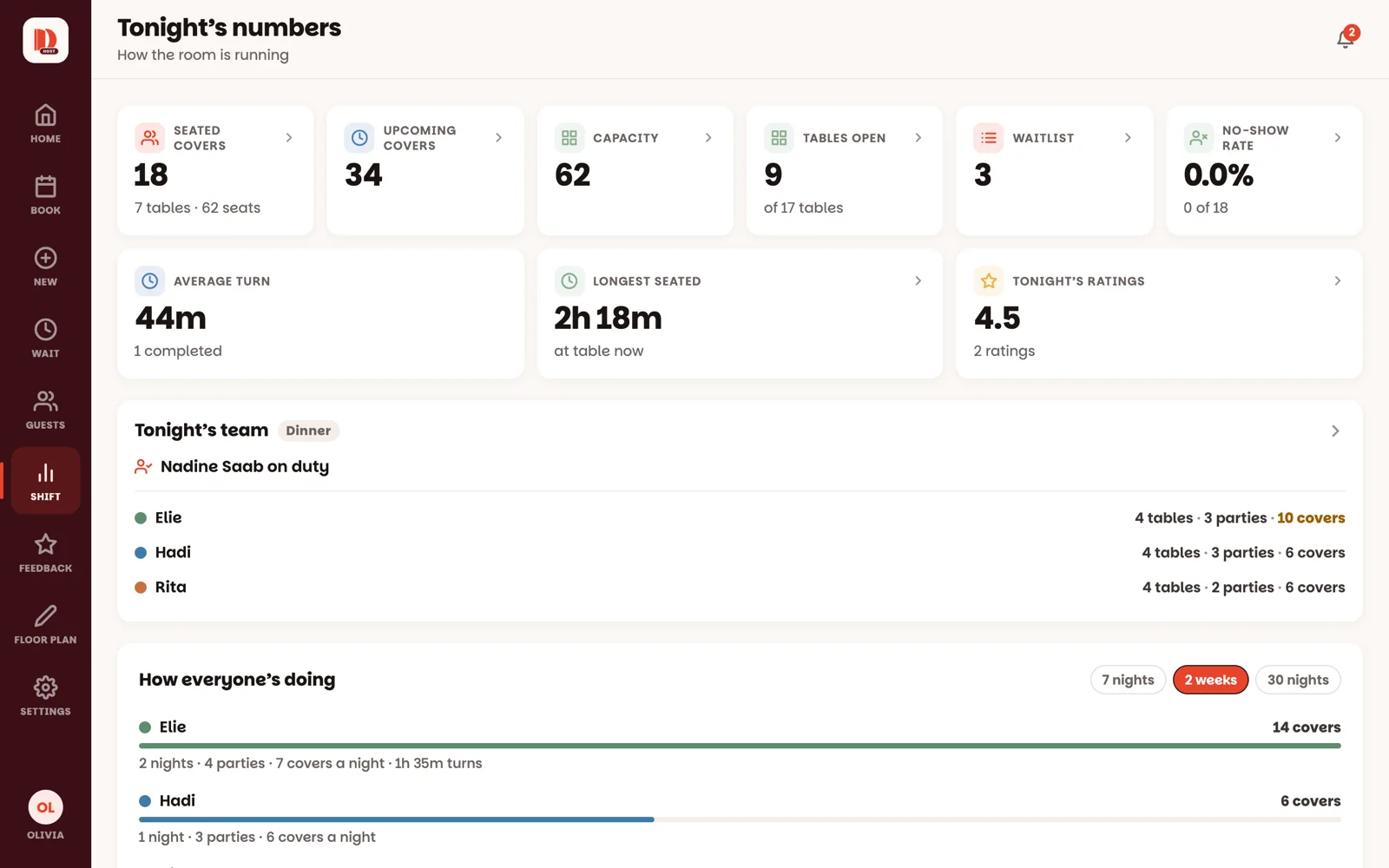
How many guests are in, how many are coming, how fast tables are turning — tonight at a glance.
2 minAnyone on the team
In short
Tap Shift in the menu. Tap any number to see the tables or reservations behind it.
Shift is tonight on one screen. Every number covers tonight's service only, and it keeps itself up to date.
1
Open Shift
Tap Shift in the menu (on a phone: More, then Shift). The tiles at the top:
Seated covers — guests at their tables right now.
Upcoming covers — guests with a reservation still to come tonight.
Capacity — all the seats in the restaurant.
Tables open — tables free to seat right now.
Waitlist — parties waiting.
No-show rate — how many of tonight's reservations didn't turn up.
Average turn — how long parties are staying, on average.
Longest seated — the party that's been here longest. It warns you when they're running long.
Tap a tile to see what's behind it: Seated covers opens tonight's seated reservations in Book, Tables open takes you to the floor.
Under the tiles, Tonight's team shows who's on duty and each waiter's tables, parties and covers tonight. Covers in amber mean that waiter has more guests at their tables right now than your team's limit — set under Settings ▸ Tonight's team ▸ Flag a waiter with too many guests.
2
Scroll down for the rest of the night
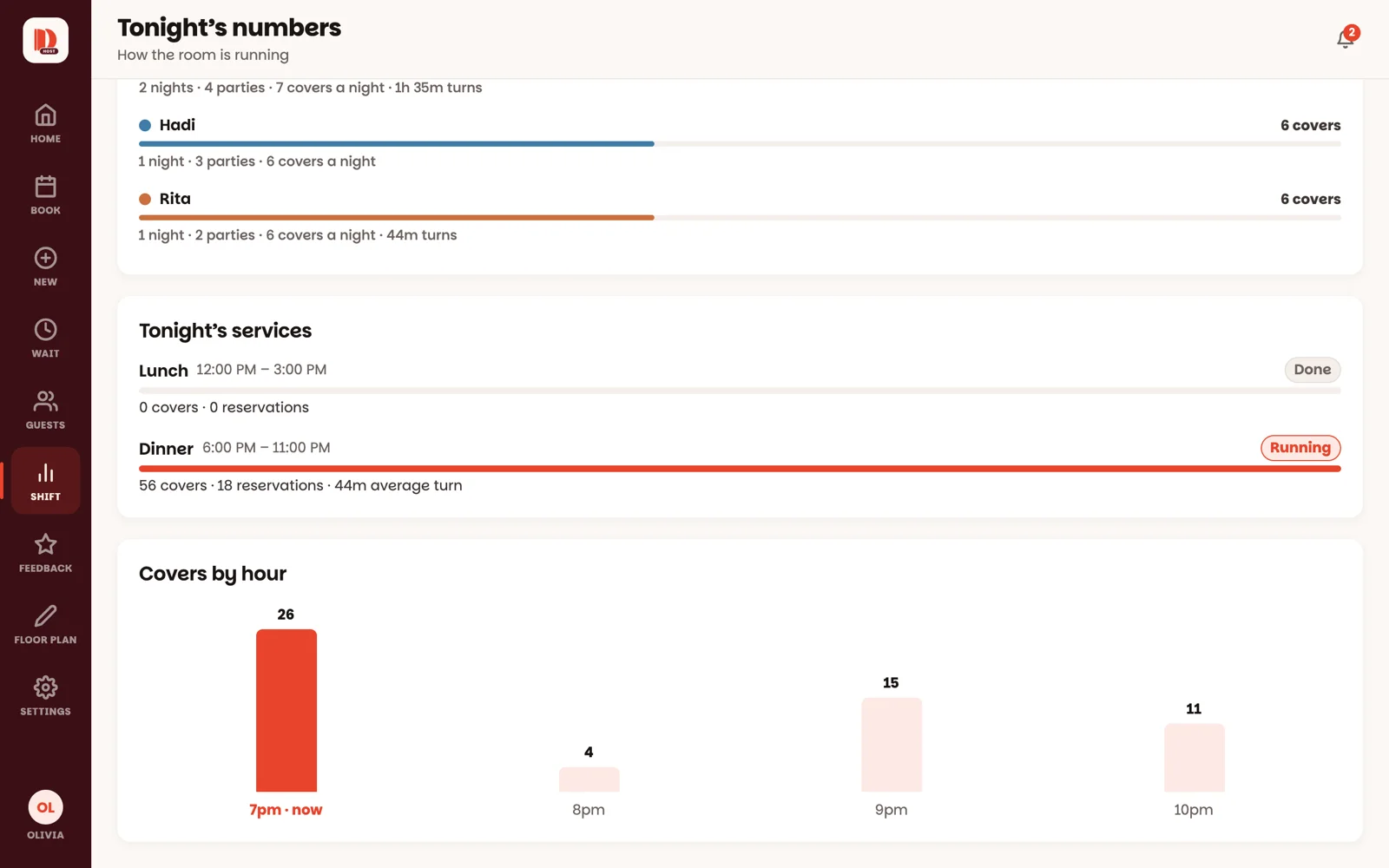
Tonight's services — on a night with lunch and dinner, how each is doing: covers, reservations and no-shows.
Covers by hour — how many guests each hour brings. The busy hours stand out at once.
For managers and owners
How everyone's doing — each waiter's covers, parties and turn times over the last 7 nights, 2 weeks or 30 nights.
Owners also see Tonight's ratings, from guests who scanned the card on their table (more).
Good to know
An owner can switch this screen off under Settings ▸ Features ▸ Shift numbers.
A blocked table doesn't count as open, so the numbers stay honest.