
You don't have to fill the guest book in. Every guest who gives a phone number — for a reservation, a walk-in or the waitlist — is added by themselves, and their visits count up each time their table is closed.
Open Guests and search
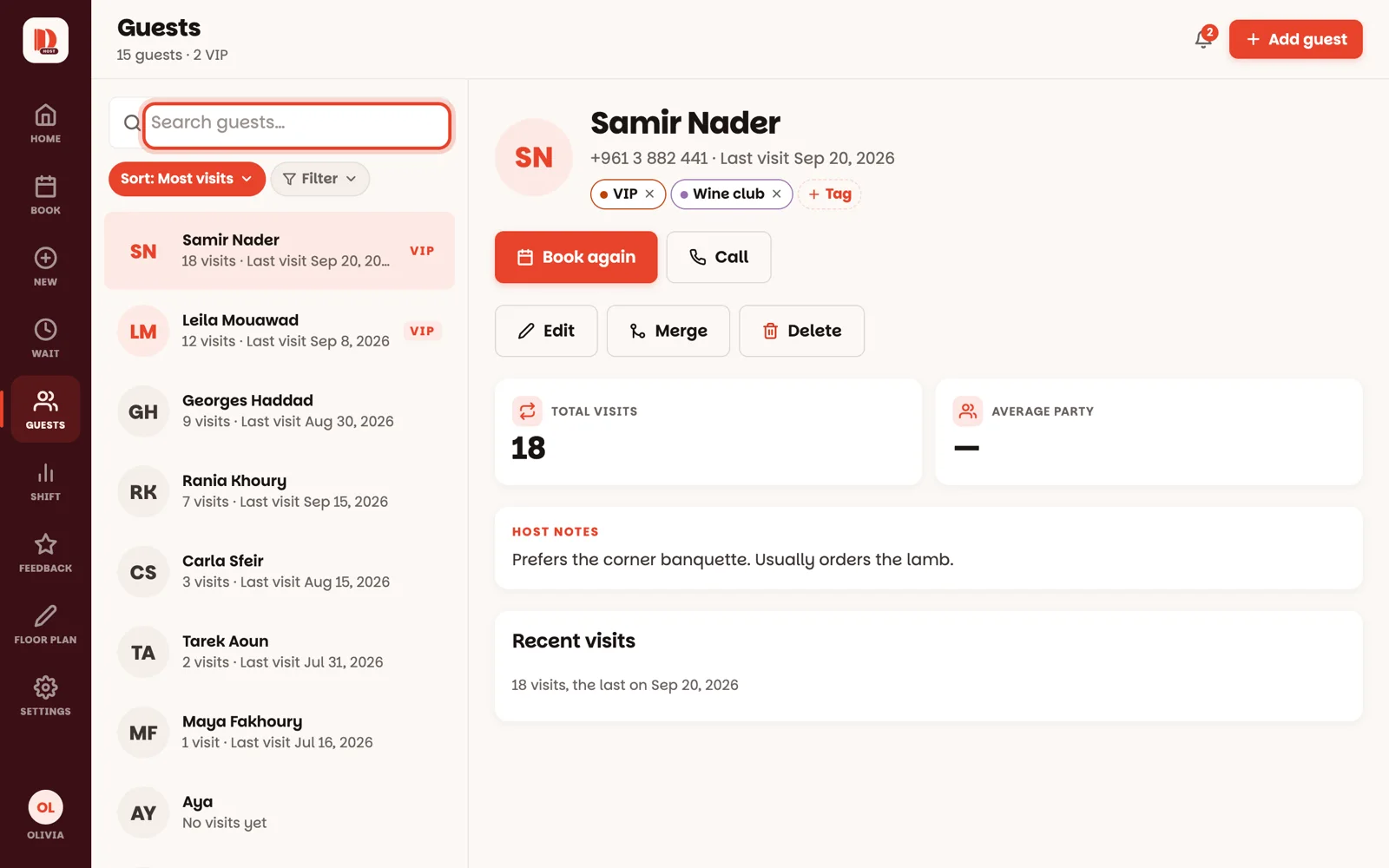
Tap Guests in the menu (on a phone: More, then Guests). Type any part of a name or phone number in Search guests….
- Sort changes the order — Most visits puts your regulars first, Last visit the people you saw most recently.
- Filter shows only guests with one tag — all your VIPs, say.
Tap a guest
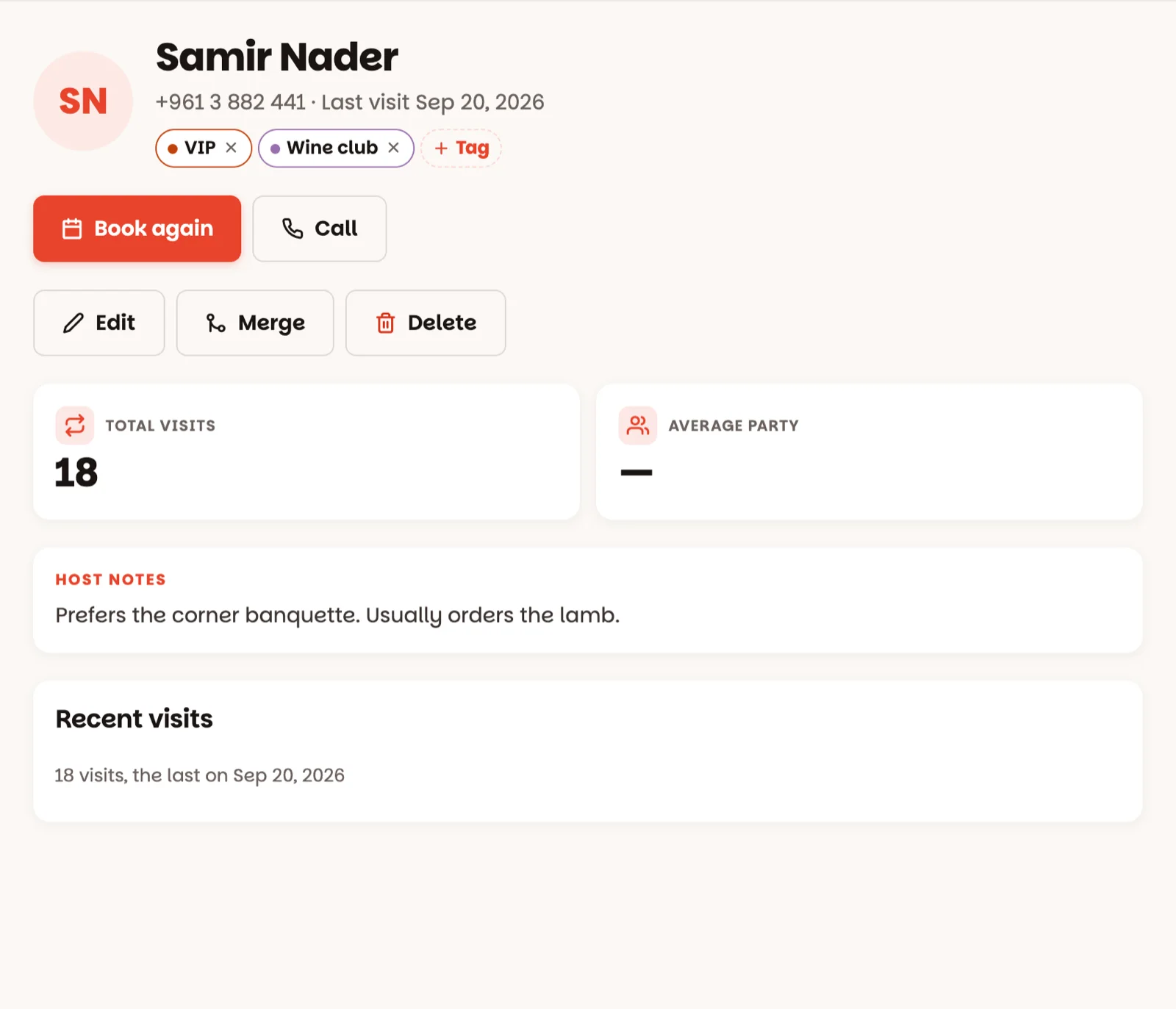
Their page shows the phone number, how many times they've been and when they last came, their tags, and the team's notes about them under Host notes.
Tag them
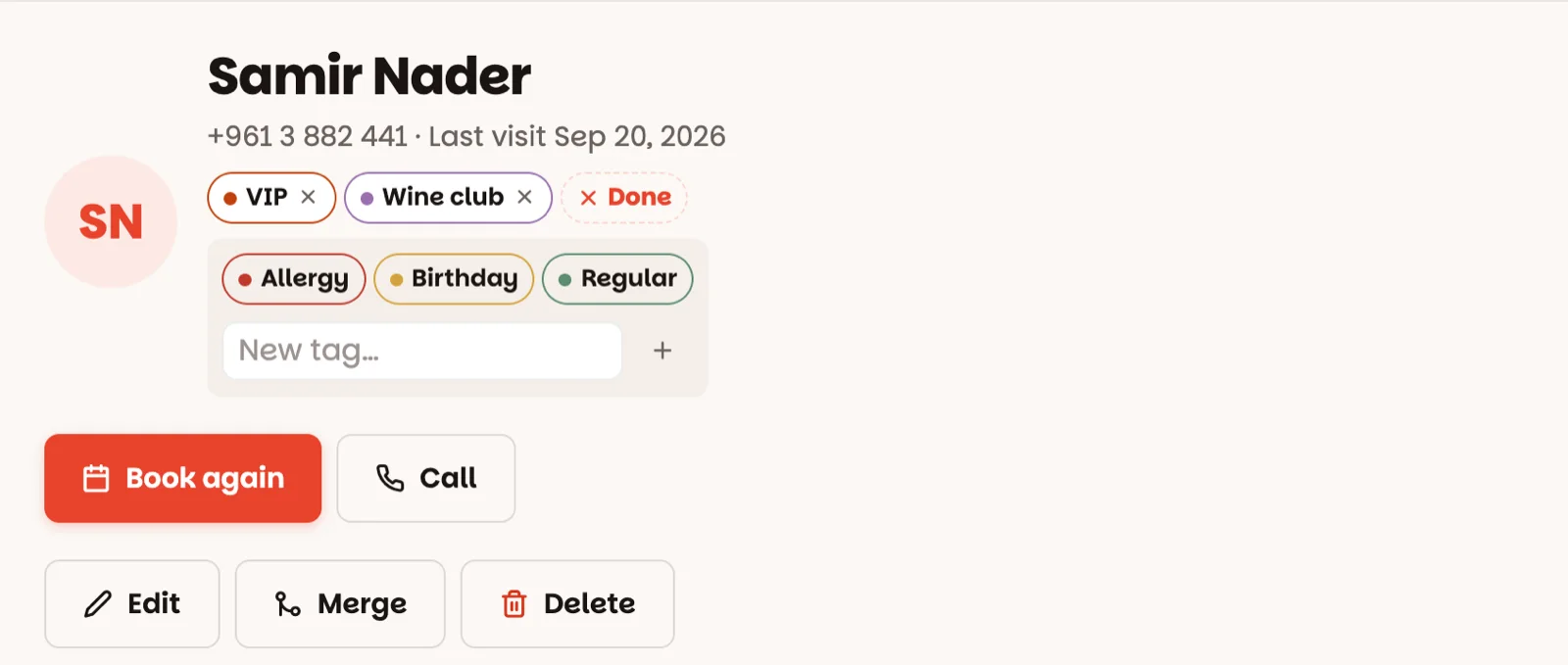
Tap Tag, then tap the tags that fit — VIP, Regular, Allergy, Birthday… Each one saves as you tap it. Tap Done when you're finished; the small × on a tag takes it off.
A tag is a label, not a warning. For an allergy, write the details in the notes too — tap Edit, then Notes — so the host who seats them reads it on the table.
Book them again
Book again opens a new reservation with their name and phone already filled in — pick the day and time and you're done. On a phone, Call rings them.
Adding, merging and deleting
- Add guest (top right) — for someone the app hasn't met yet: name, phone, notes, tags. Search the number first, so you don't create the same person twice.
- Edit — fix a name, a number or the notes.
- Merge (managers and owners) — the same person twice? Open the one to keep, tap Merge, pick the other one, then Merge … in. Their visits, tags and reservations move over. One tap does it, and it can't be undone.
- Delete (managers and owners) — tap it, then Tap again within a few seconds. The guest is gone for good; their reservations stay in Book.
Good to know
- The list doesn't refresh on its own while you look at it — search again to see a colleague's change.
- VIPs get a VIP badge here and on their reservations. Your tag list is set up under Settings ▸ Guest tags (how).
- An owner can switch tags off completely under Settings ▸ Features.