
Two questions every service starts with: who's the manager tonight, and whose tables are whose? The app keeps both on the floor, so a host can seat a party with the right waiter without shouting across the room.
Tap the team button on the floor

It sits next to the counts at the top of the home screen. Before anyone is set up it says Tonight · who's on?. Once it's done it shows the manager's name and how many waiters are on — like Nadine Saab on duty · 3 waiters.
Say who the manager on duty is
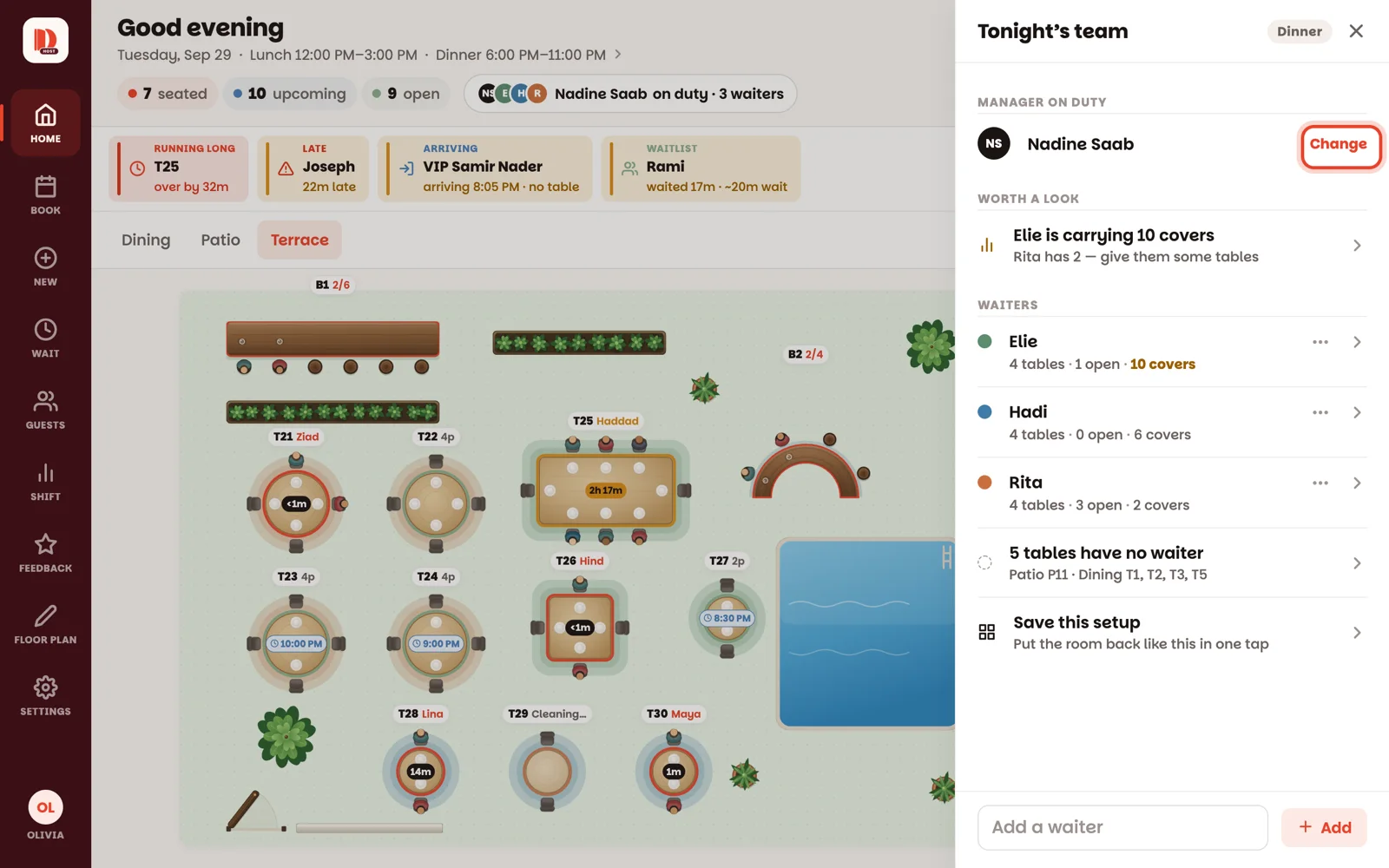
At the top of the sheet, tap Set (or Change) next to Manager on duty, and tap their name. Only people on the team as a manager or owner are listed. The manager is set per service — every service starts with nobody.
Give a waiter their tables
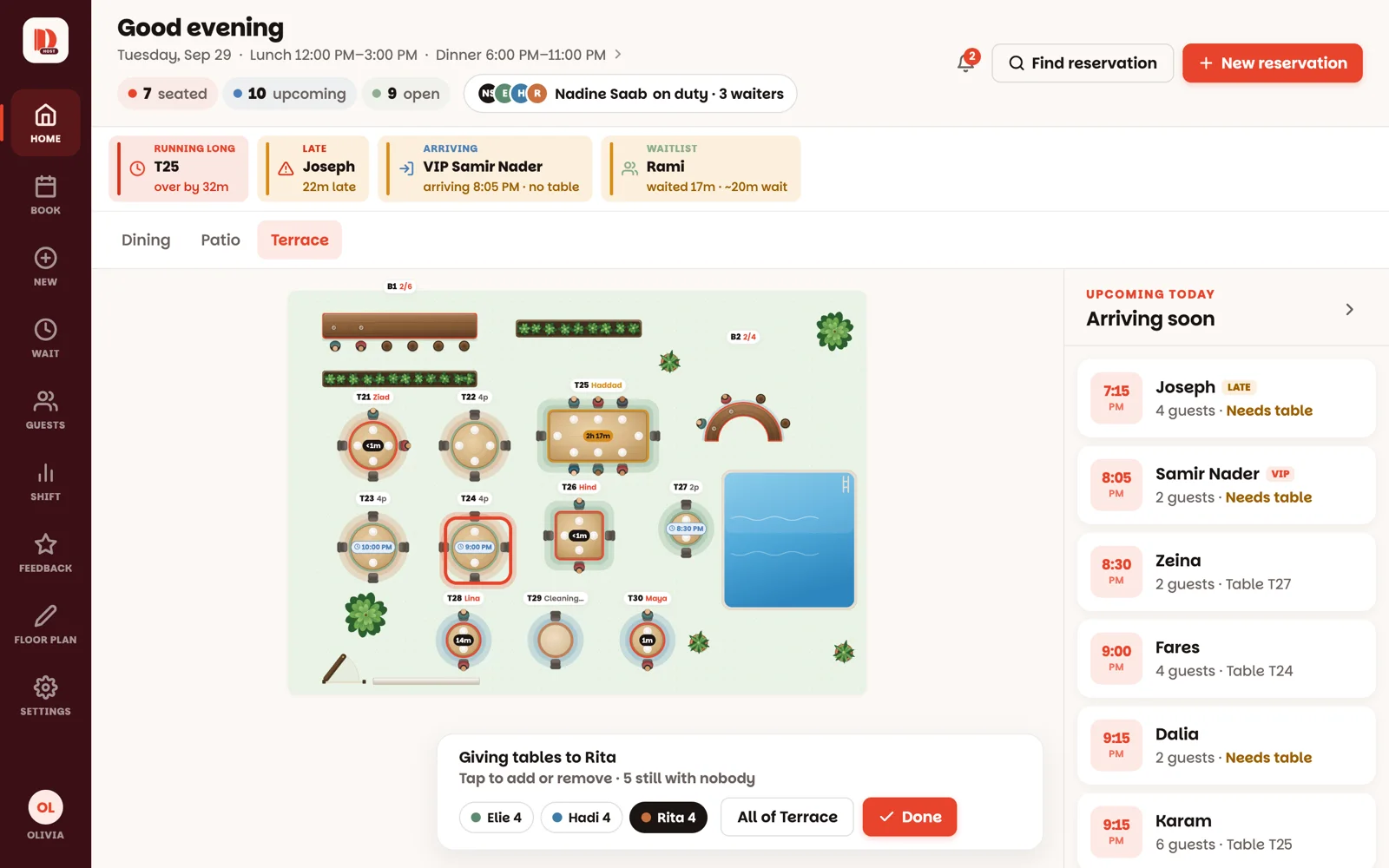
Tap a waiter's name. The sheet slides away and a bar at the bottom says Giving tables to Rita. Now tap each table you want to be hers — it takes her colour. Tap one again to take it back. Room with one waiter? All of Terrace gives her the whole room in one tap.
Tap another waiter's chip on the bar to switch to their tables, and Done when everyone has a section.
Tables keep their waiter from night to night. If your sections don't change, you only do this once — just check them before service.
Seat with the right waiter
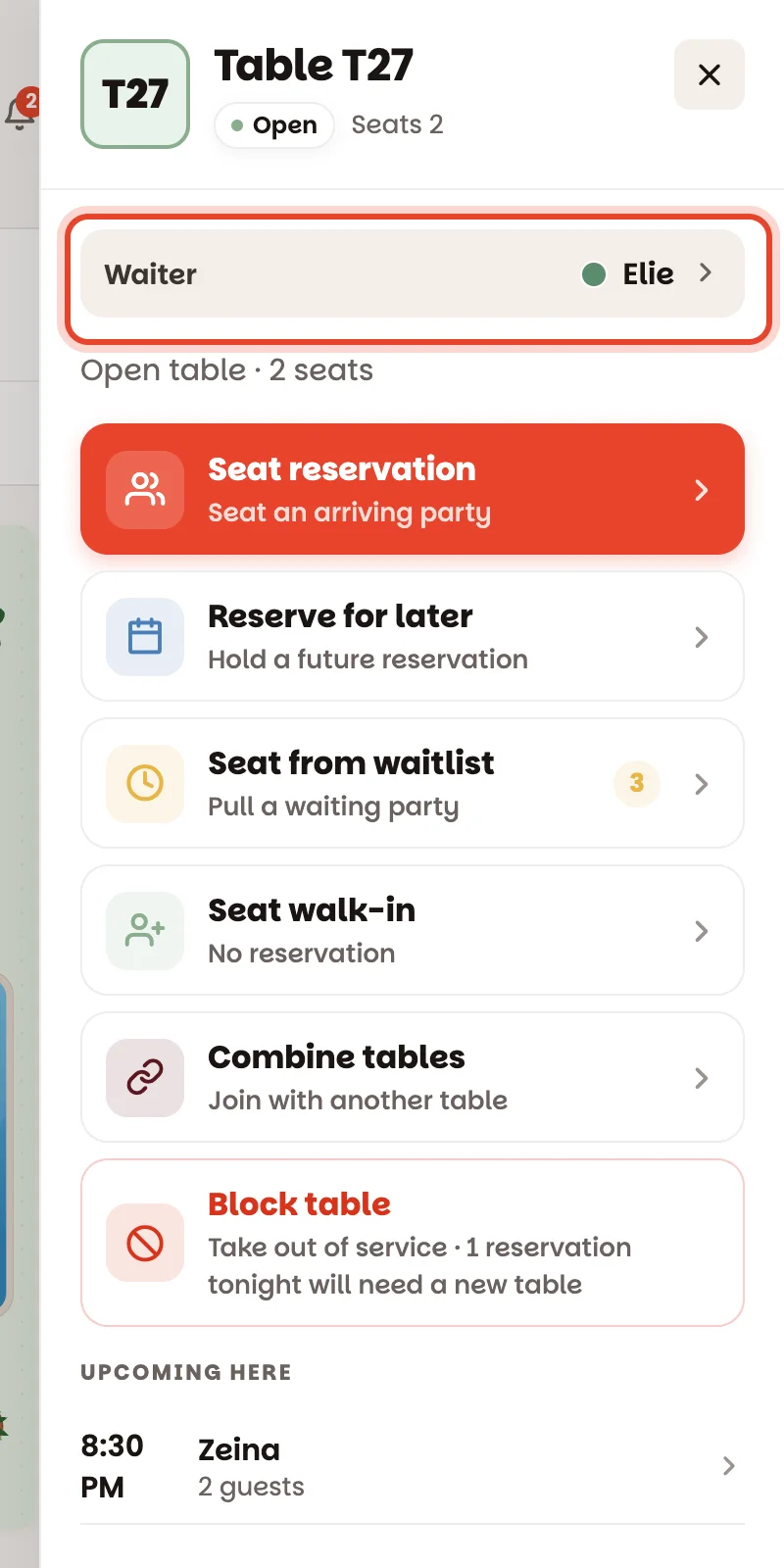
Tap any table and the Waiter row shows whose it is. When you seat a party there, it's that waiter's party. Need someone else to take it? Tap the row and pick them before you seat.
New waiter tonight?
At the bottom of the sheet, type their name in Add a waiter and tap Add (managers and owners). They get their own colour. Waiters don't need an account or the app — they're names on the floor.
During the night
- Someone went home? Tap More for Rita (the ⋯ next to her name) → Hand all tables to… and pick who takes over — or Off tonight to free her tables. Changed your mind? Tap Undo on the notice.
- Worth a look — the sheet warns you when one waiter has too many guests and another has hardly any, and one tap starts giving the lighter one some tables.
- Save the way you usually divide the room (managers and owners): Saved setups → type a name → Save. Next time, tap Use next to it, check who gets each section, then Give out the floor.
Good to know
- The waiter colours only show on the floor while the team sheet is open or while you're giving out tables — the rest of the time the floor shows the usual table colours.
- Want the app to suggest whose turn it is to get the next party? A manager can switch on Take turns seating guests under Settings ▸ Tonight's team. The waiter who's up then shows Next up on their tables' panels. It only suggests — you can still seat anyone anywhere.
- Shift shows each waiter's tables and covers tonight, and managers see how everyone did over the last weeks.