
Ten quiet minutes before service save an hour of chaos later. Go down this list at the host stand.
Look at the bell
Tap the bell at the top of the screen. It lists what's new since you last looked: reservations guests made themselves, cancellations, and — for owners — new ratings. Tap one to open it.
Give every reservation a table
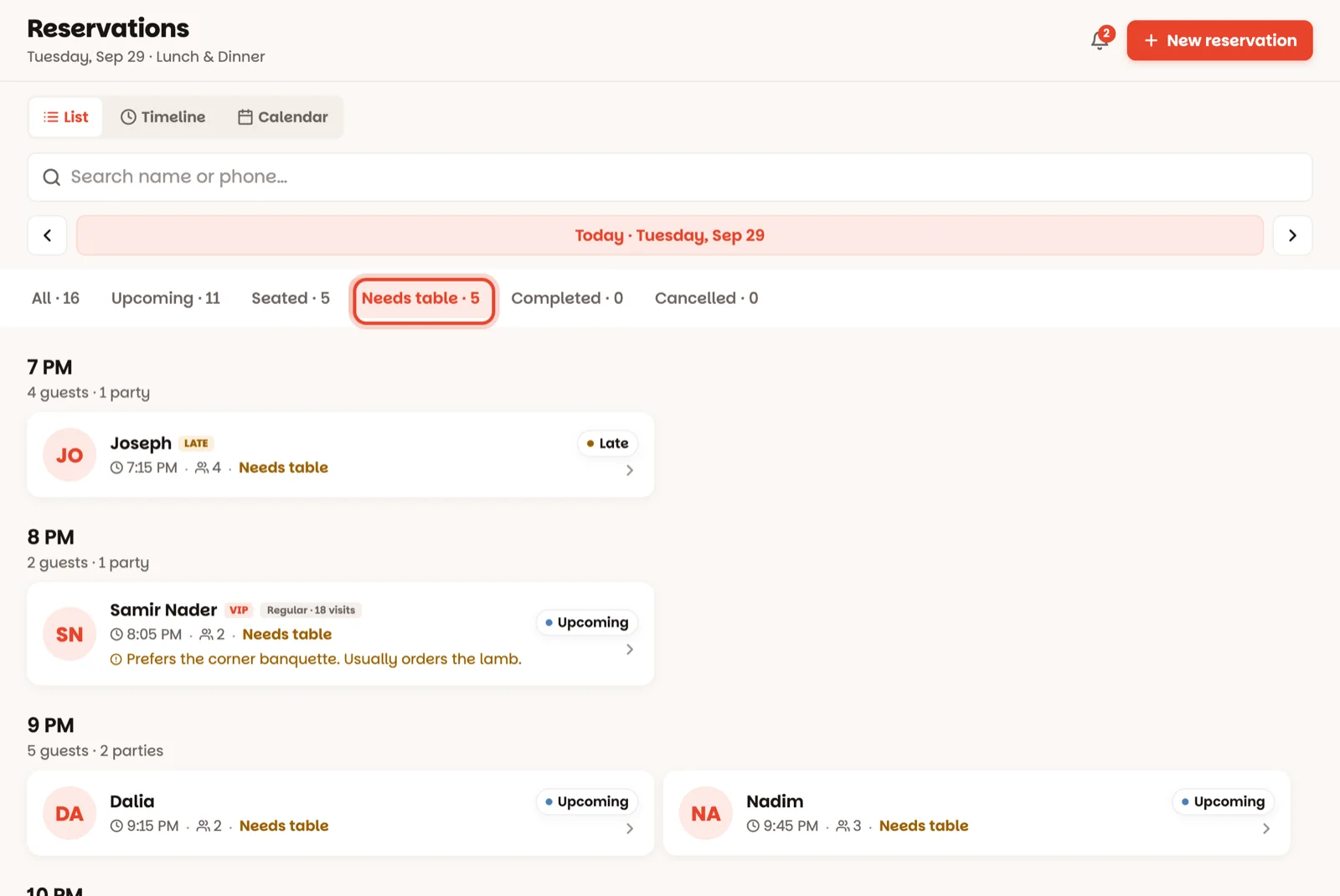
Open Book, tap the Needs table filter, and give each one a table with Assign table. Arriving soon on the home screen shows the same parties in amber. Tables are easier to choose now than with guests at the door. (How)
Say who's working
Tap the team button at the top of the floor: set the manager on duty, and check every waiter has their tables. (How)
Is tonight a normal night?
Tap the date at the top of the floor. Closing early, skipping lunch, a private party? Change just tonight there. (How)
Take broken tables out of play
A wobbly table, a corner kept for a private setup? Tap it, then Block table. (How)
Good to know
- Big group booked? Push the tables together before they arrive — see Combine tables.
- Everything you do here shows on every device straight away, so the whole team starts from the same picture.