
Your usual week is set once, in Settings. When one night is different — a holiday, a private party, the kitchen closing early — change just that night from the floor. Every other night stays exactly as it was.
Tap the date at the top of the floor

Under the greeting at the top of the home screen is today's date and your services — Lunch 12:00 PM–3:00 PM · Dinner 6:00 PM–11:00 PM. Tap it.
Pick the night
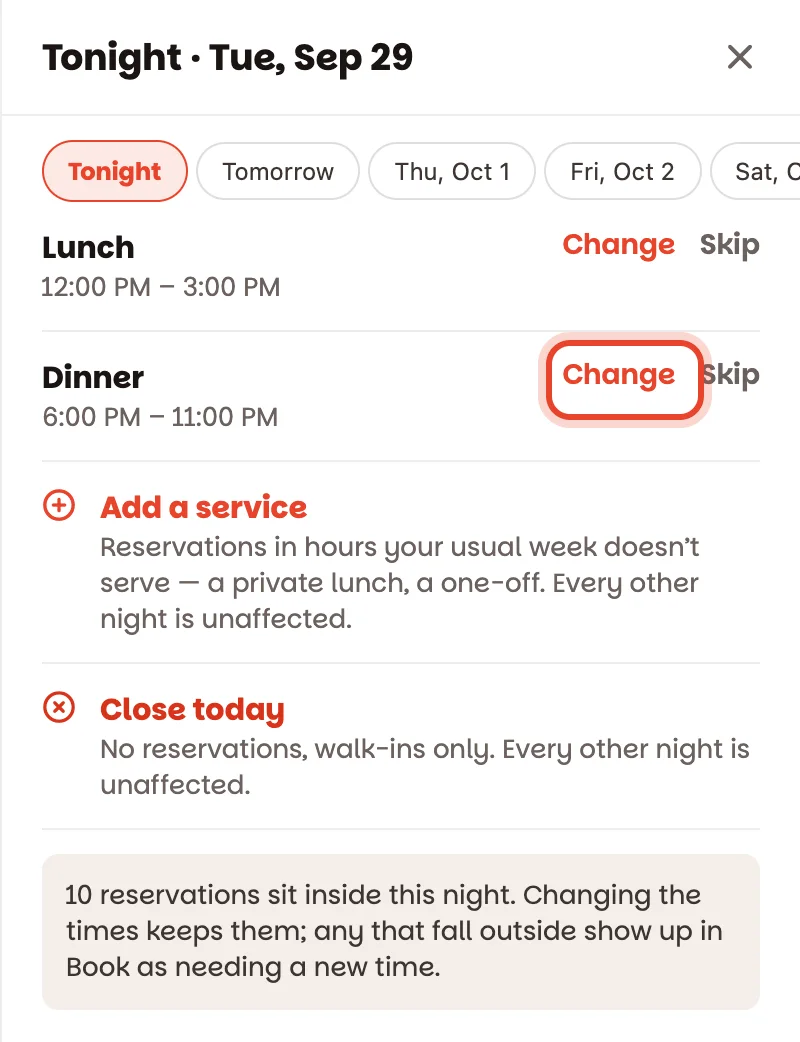
The sheet opens on Tonight. The buttons along the top jump to Tomorrow and the days after — or Another date… for anything further out. Each of that night's services is listed with its times.
Make the change
- Change — new times for one service, just this night. Pick when it starts and ends, then Save for today.
- Skip — no lunch today, say. Put back undoes it.
- Add a service — a service your usual week doesn't have: a private lunch on a Monday, a late seating on New Year's Eve. Give it a name and times, then Add for this night.
- Close today — no reservations at all that night. Walk-ins are still fine.
Each tap saves straight away, on every device.
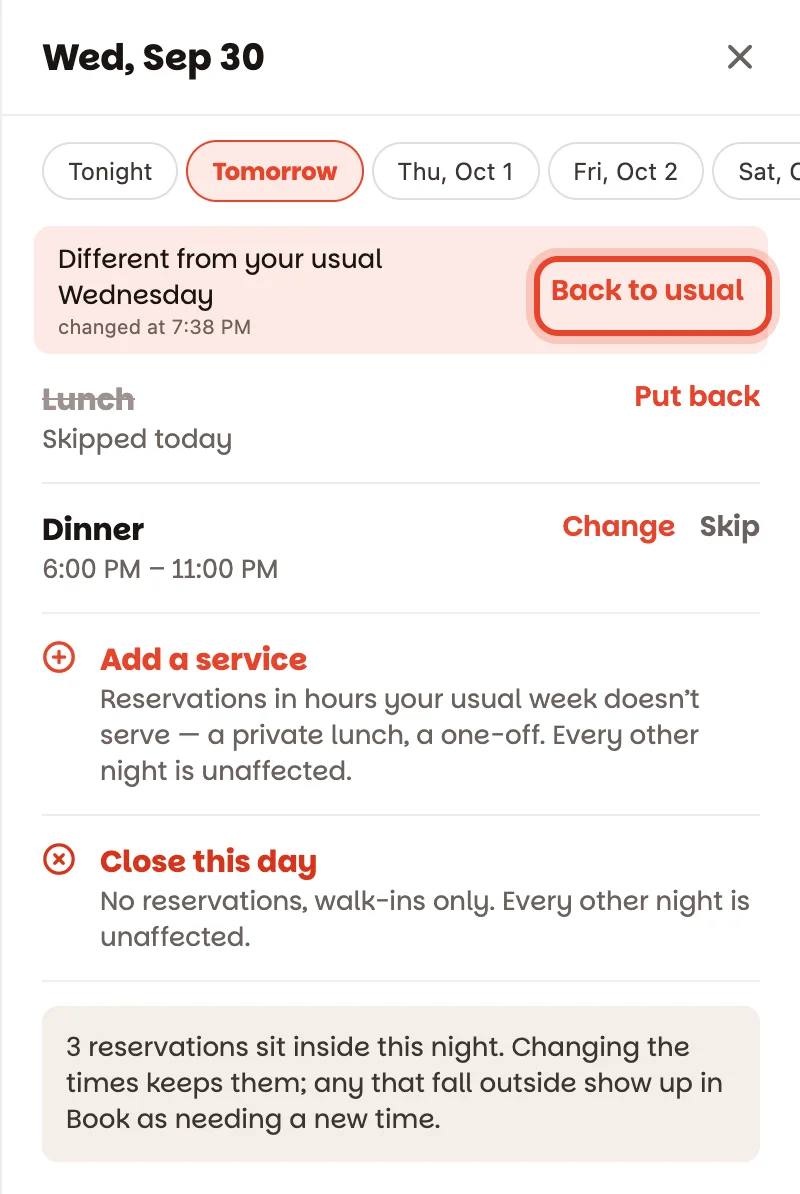
A changed night says so — Different from your usual Tuesday — and a Changed badge appears next to the date on the floor. Tap Back to usual to undo every change to that night in one go.
What about reservations already made?
Nobody is ever cancelled by a change. Before you change anything, the sheet tells you how many reservations that night already has. If a change leaves some of them outside every service, the sheet says how many, and each one shows in Book as Outside tonight's service — needs a new time, so you can call the guest and move them.
Good to know
- Staff can open the sheet to see tonight's hours; changing them is for managers and owners.
- To change your usual week — every Tuesday, not just this one — use Settings ▸ Shifts (how). Changed nights coming up are listed there too.
- A room closed for a while (rain on the terrace) is different from closing the night — see Pace your service and close a room.