
The floor answers three questions without a single tap: where can I seat people, who's been here a while, and who's about to arrive.
Every table wears a coloured ring
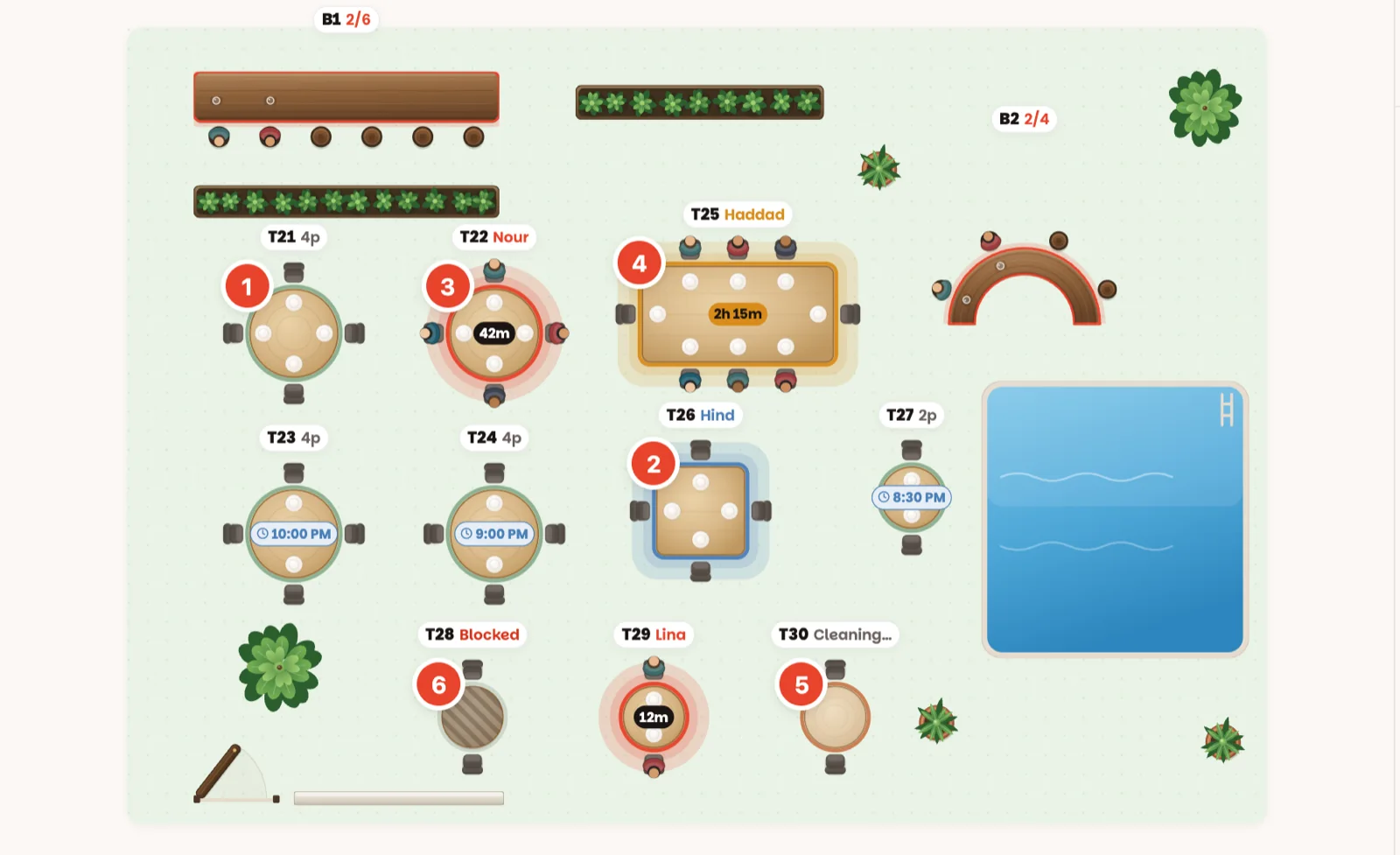
Your restaurant may have several rooms — tabs like Dining, Patio and Terrace sit above the floor. Each room is its own map.
The name tag
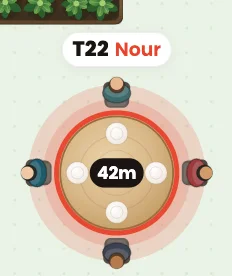
Every table has a small white tag above it: the table number, then either the party's name (when someone is on it) or its size — 4p means it seats four. A bar shows how many stools are taken, like 3/6.
The timers
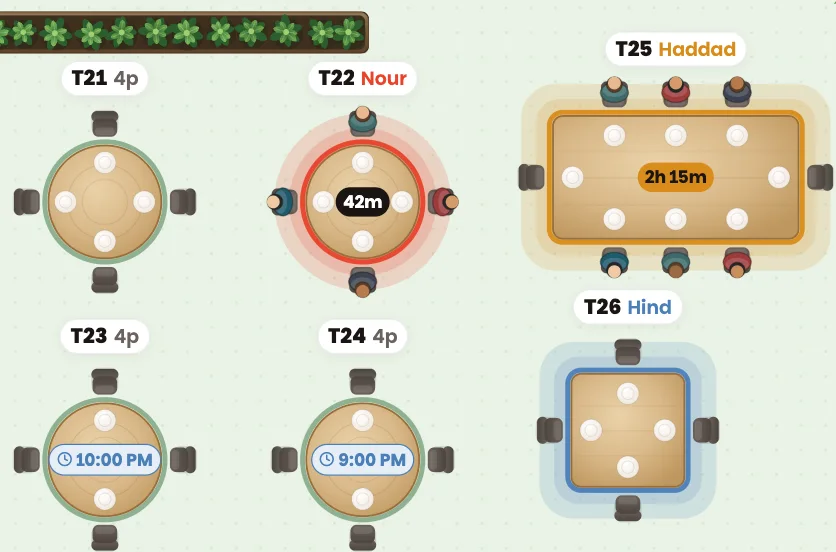
- A dark pill in the middle of a seated table — 42m — is how long that party has been there.
- It turns amber when they've stayed longer than usual for their party size. That's a cue to check on the table, not a command to rush anyone.
- A small blue clock on a green table — 9:00 PM — means someone has reserved it for later tonight. You can still seat someone now: if a walk-in won't be done in time, the app warns you first.
The alerts above the floor

Anything that needs a person right now shows up as a chip above the floor:
- Running long — a party has stayed well past their usual time.
- Late — a reservation is more than 15 minutes late.
- Arriving — a VIP or a big party is due within 45 minutes and has no table yet.
- Waitlist — a waiting party has nearly reached the wait you gave them.
Tap a chip and the app takes you straight to it. No chips? Nothing needs you — enjoy it.
Arriving soon
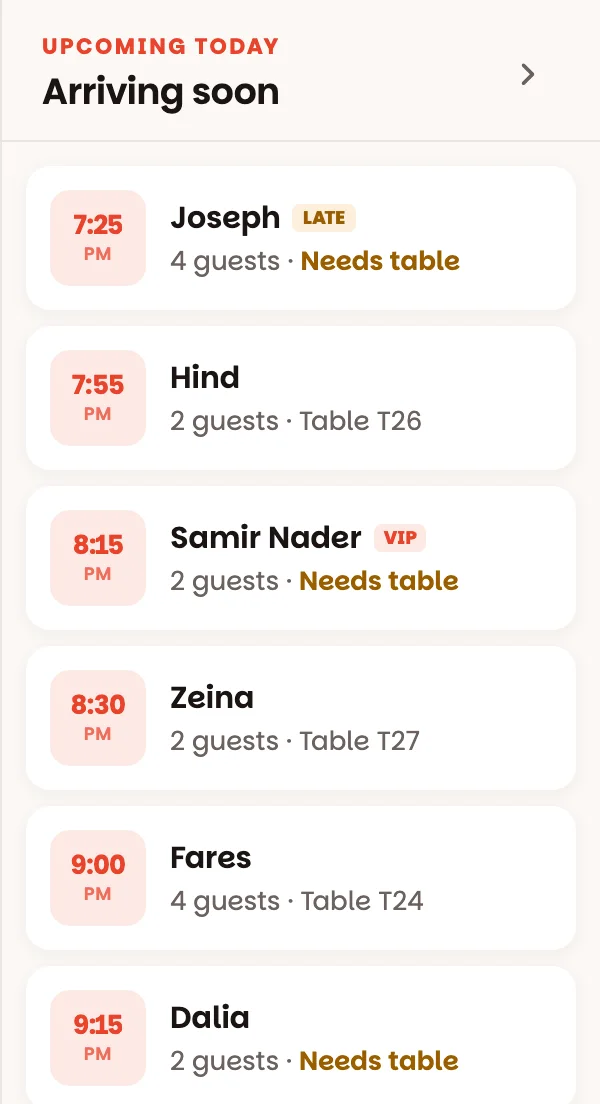
On the right: everyone still to come today, in time order, with their party size and table. Needs table in amber means nobody has chosen a table for them yet — do it before they walk in (here's how). LATE means they're past their time. Parties from the waitlist are listed at the bottom, under Waiting.
Good to know
- The counts at the top — seated, upcoming, open — are live: tables seated now, reservations still to come today, tables open now.
- On a phone, switch between Floor and Arriving with the buttons at the bottom. The round button fits the whole room on screen, and you can pinch to zoom.
- Tap any empty spot on the floor to close a table's panel.
- Tables tinted in a waiter's colour? Someone has the Tonight's team sheet open — the colours show whose tables are whose.
- Settings ▸ Display switches to 24-hour time and changes the size of the table tags — on your device only.