
Tonight's reservations are listed in Arriving soon, on the right of the home screen, in time order. How you seat them depends on whether they already have a table.
Their table is blue? Tap it, then Seat now
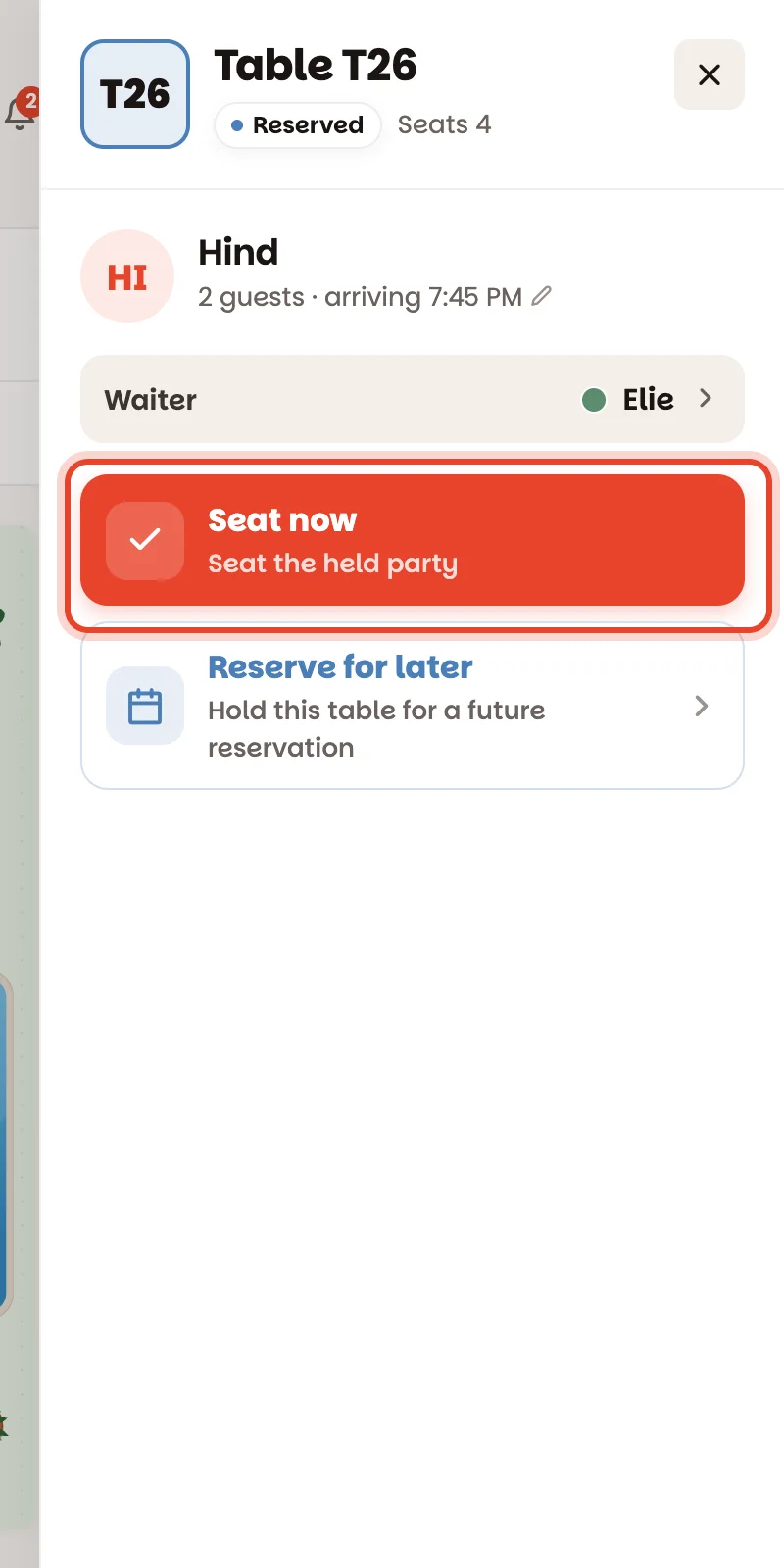
About 15 minutes before a reservation, its table turns blue and shows the party's name. When they arrive, tap the table and tap Seat now. The table turns red and their timer starts.
No table yet? Tap any green one
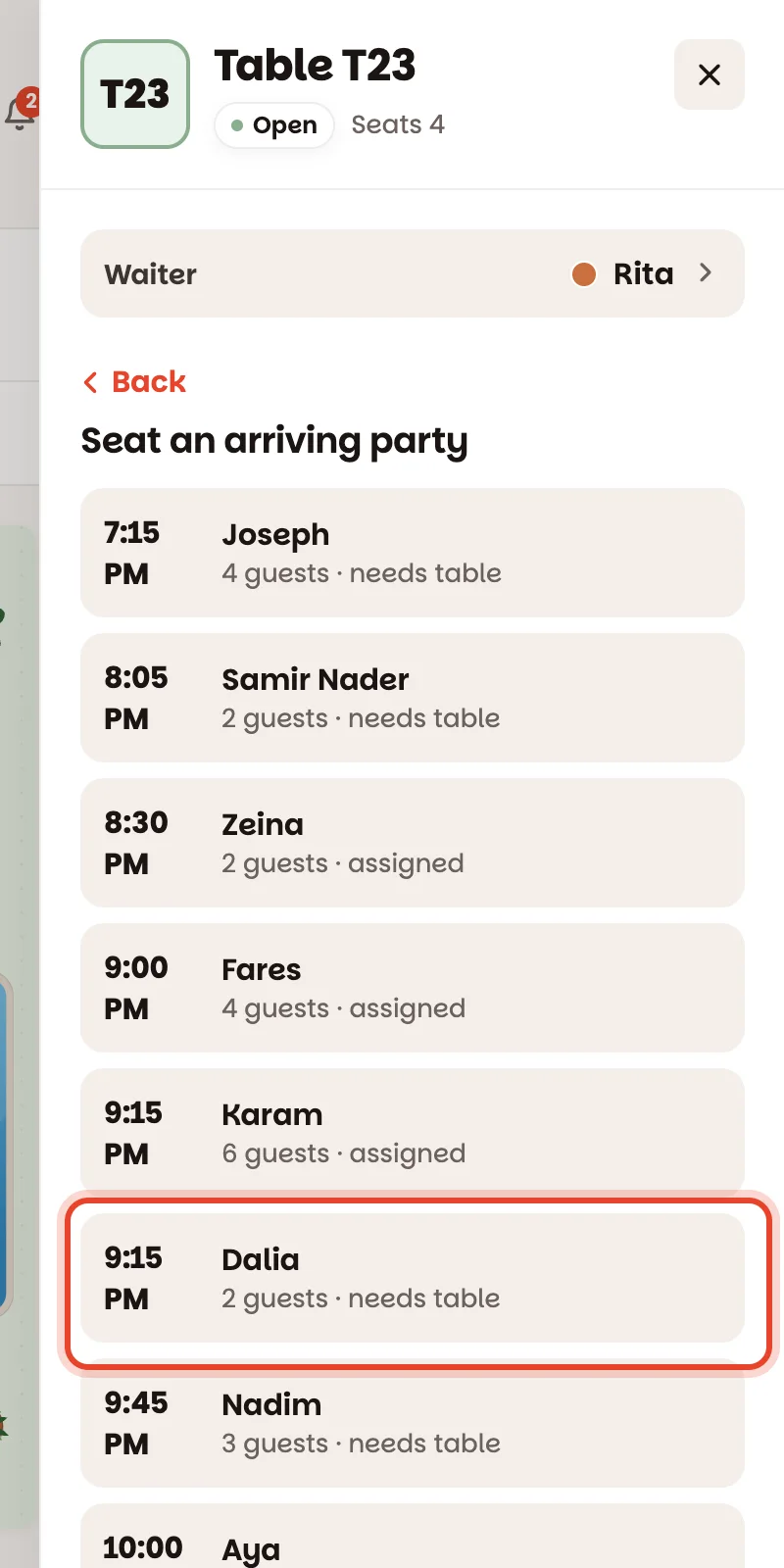
If Arriving soon says Needs table in amber, nobody has chosen a table for them. Tap whichever green table suits the party, tap Seat reservation, then tap their name in the list of today's arrivals. That gives them the table and seats them in one go.
Early? If their table is still green with a small blue clock on it, it isn't holding them yet — use Seat reservation on it, the same way.
On a tablet: drag them in
When Arriving soon sits beside the floor, you can press and hold a party and drag it onto a table. The ring under your finger tells you before you let go: red means that table can't take them, amber means it will but runs into a later reservation.
If they're late, or never come
- More than 15 minutes late, the party gets a LATE badge in Arriving soon and an alert chip above the floor.
- They're not coming? Once their time has passed, tap their blue table and No-show. You can also do it from their reservation in Book — and undo it there if they turn up after all.
Good to know
- Bigger or smaller party than booked? Tap their table, then tap 2 guests · arriving 7:45 PM under their name to change it.
- Tapping a party in Arriving soon opens their reservation: change the table, edit it, or cancel it from there.
- Prefer to give tables out before the rush? See Find & fix a reservation — the Needs table filter lists everyone still waiting for one.
- A manager can change how early tables turn blue under Settings ▸ Service timing ▸ Hold the table before a reservation.