
Tap a green table
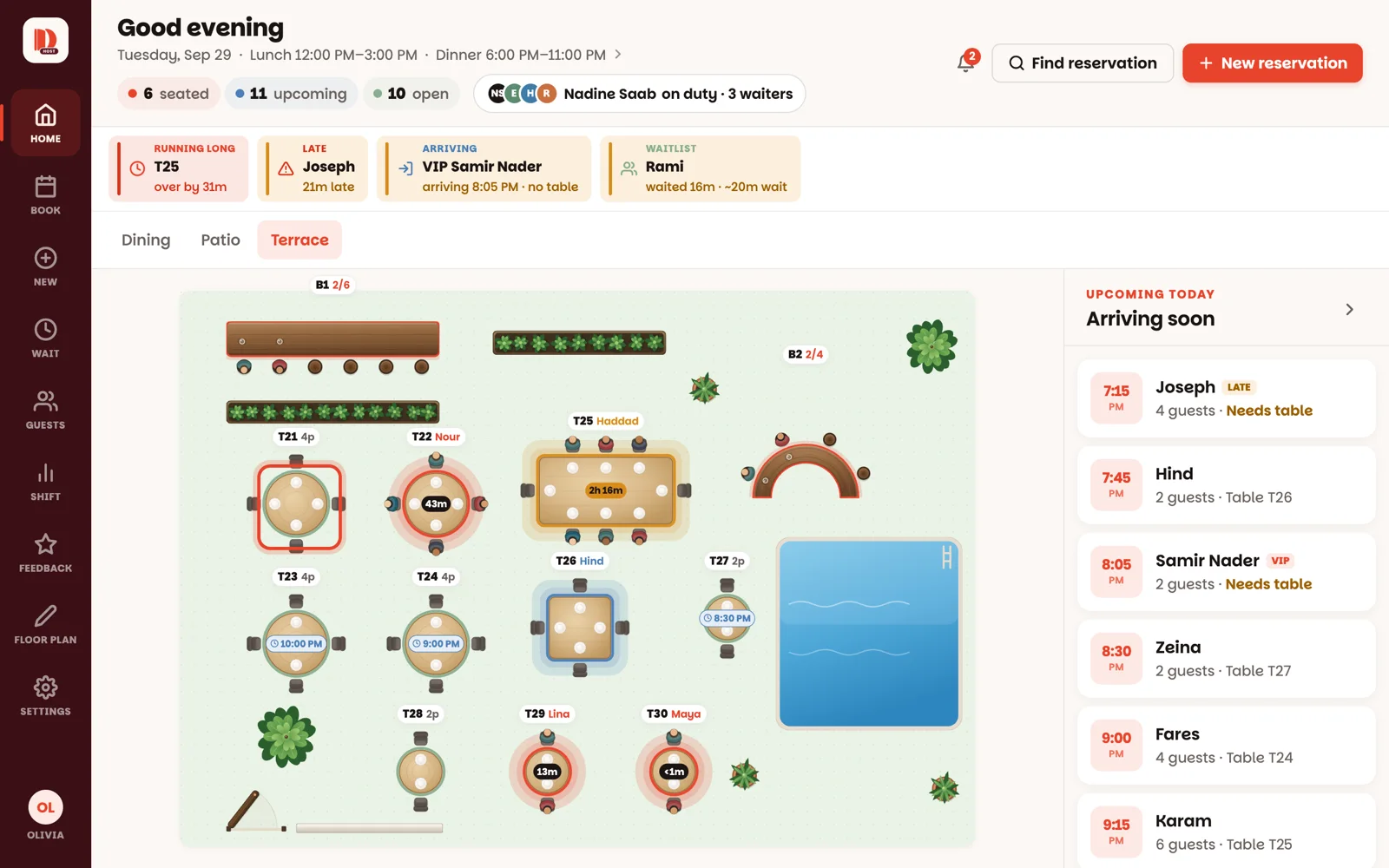
Green means open. Tap the table you want to give them — a panel slides in from the right with the table's number, Open, and how many it seats.
Tap Seat walk-in
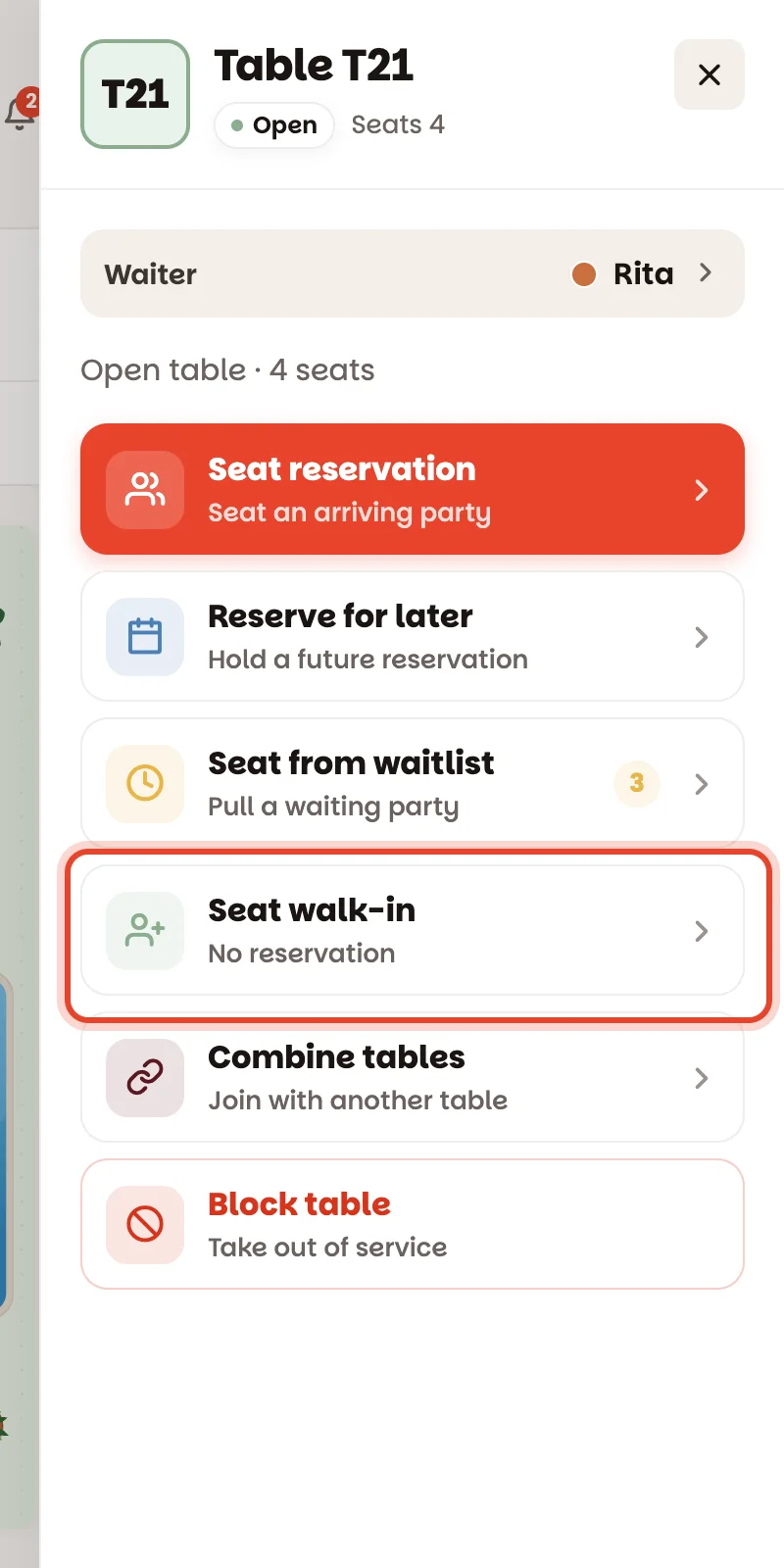
It's in the list of things you can do with an open table. If your restaurant uses Tonight's team, the Waiter row above the list shows whose table it is — the party will be theirs.
Set the party size
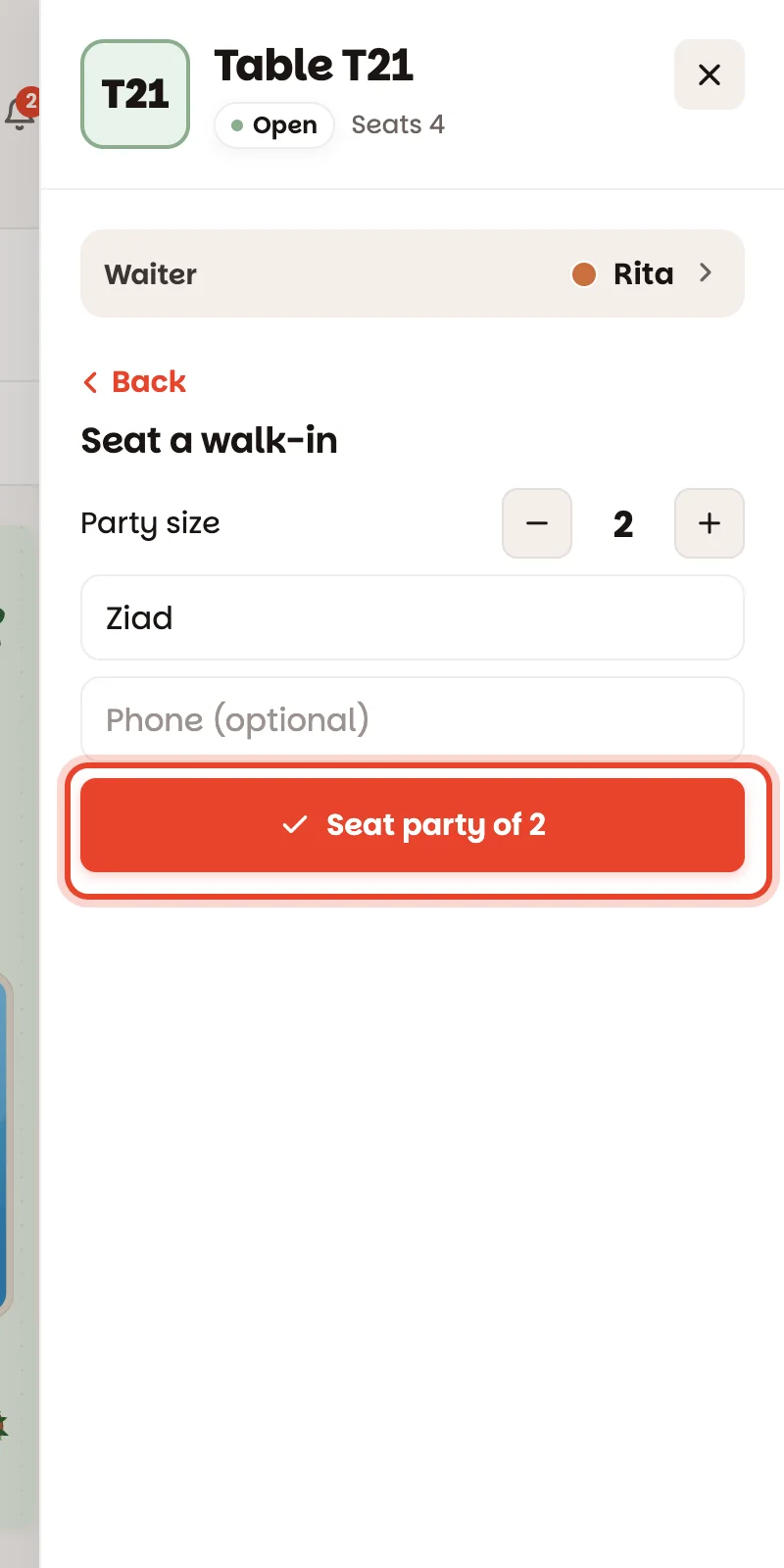
Use − and + to set the Party size. Name and phone are optional — but a name makes the night easier to follow, and a phone number builds your guest book. Start typing and the app suggests guests it already knows.
Tap Seat party of 2
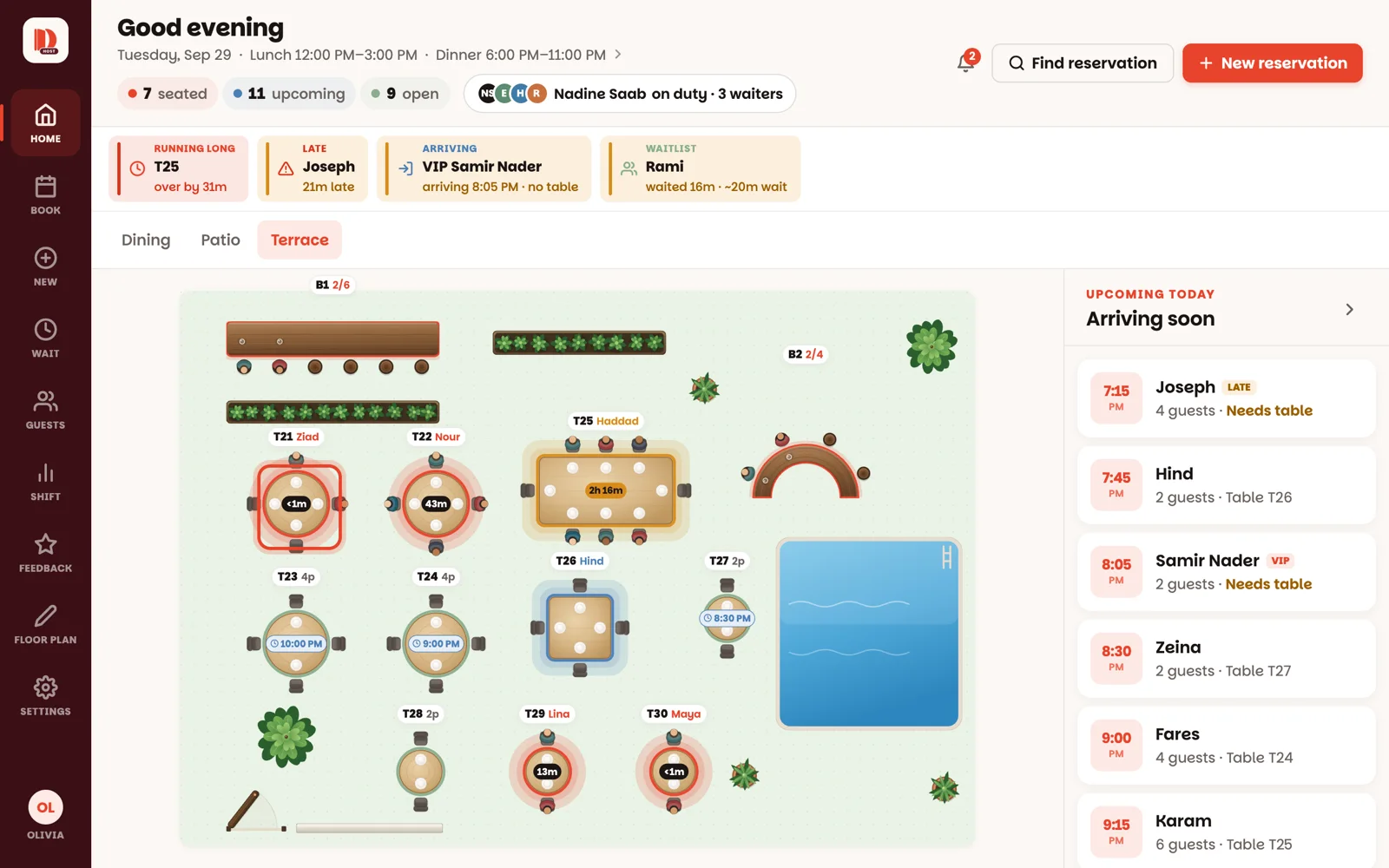
The panel closes, the table turns red, and its timer starts counting. Done.
Is someone booked on this table later tonight? The app checks whether the walk-in will be done in time. A blue note — Reserved 7:30 PM here — should clear by ~8:10 PM — means you're fine. A red one means it's tight, and the button becomes Seat anyway · party of 2. It's your call.
Good to know
- Bars work seat by seat: the tag shows how many stools are taken, like 3/6, and you can only seat as many as there are free stools.
- Seated the wrong number? Tap the table, then tap the line under the party's name (4 guests · seated 8:05 PM) to fix it.
- A blue table is holding a reservation, so it has no Seat walk-in. Pick another table.
- Walk-ins land in Book too, marked Seated, so the night's record stays complete.