
Your reservation page is one link. Put it everywhere a guest might look for you: Instagram, Facebook, your website, Google, your WhatsApp profile, the menu. When a reservation comes in, it says what brought the guest — Booked online via Instagram.
Instagram, Facebook, TikTok, a Google search and your own website are recognised on their own, so they all get the same plain link. Google Maps, WhatsApp and a printed code don't say where a guest came from, so they get a copy of the link with a small tag on the end.
Your page has to be live first: Open your reservation page.
Copy your link
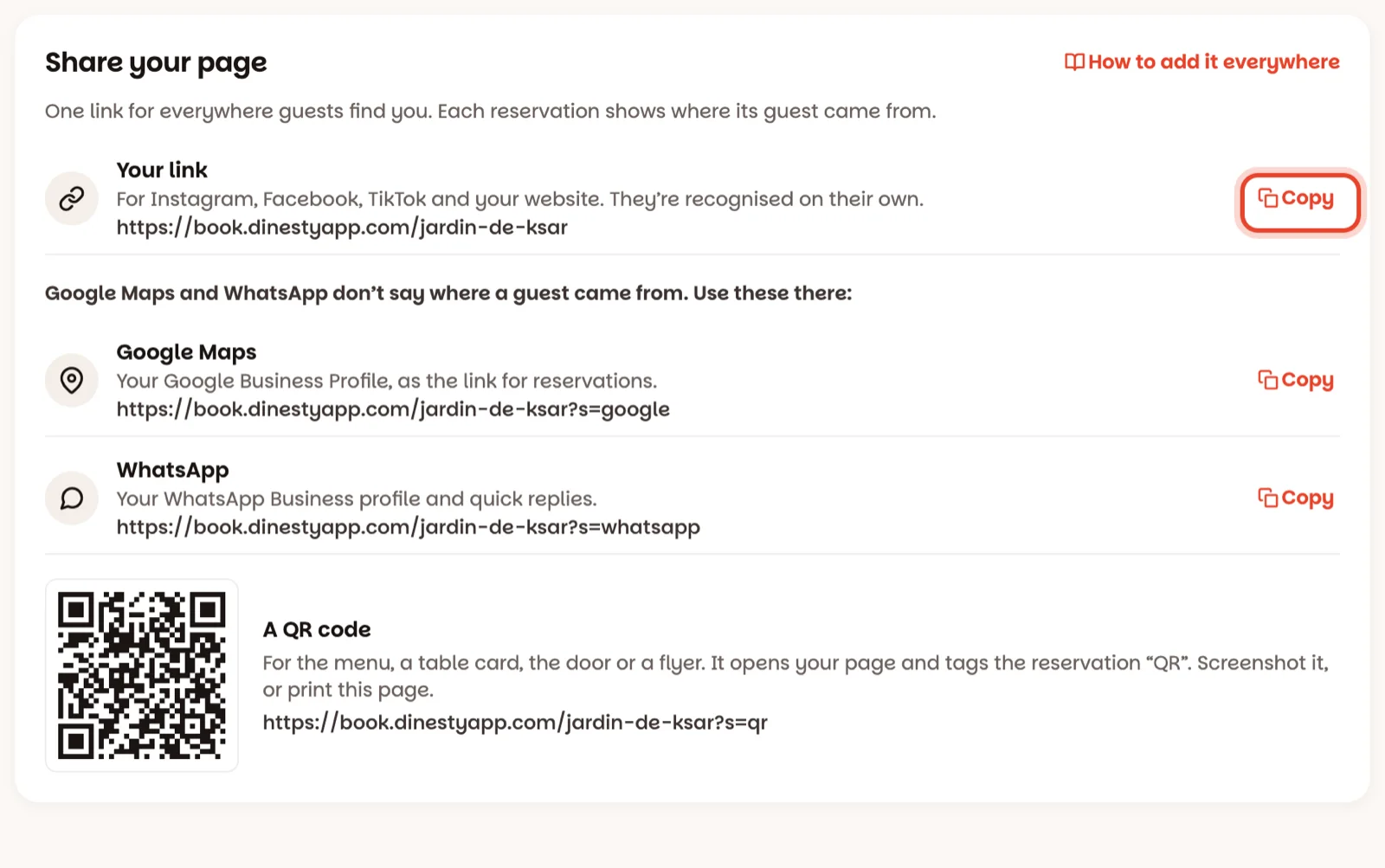
Open Settings ▸ Online reservations and scroll to Share your page. Tap Copy next to Your link. On a phone, press and hold the link to copy it.
Edit profile → Links → Add external link → paste your link. In a story, use a Link sticker with the same link.
On your Facebook page, tap Add action button (or Edit action button), choose Book now, send people to a website, and paste your link.
Your website
Link a "Book a table" button, or the reservations item in your menu, to your link.
Google Maps
Tap Copy next to Google Maps. Then on Google, search your restaurant's name while signed in to the account that manages it, and tap Edit profile. Find the link for reservations — Google calls it Reservations, Bookings or Appointment links depending on the screen — and paste it. Google can take a few days to show it.
Tap Copy next to WhatsApp, and paste it into your WhatsApp Business profile's website field, or into a quick reply for guests who ask for a table.
Print the QR code
The QR code at the bottom of the card opens the same page. Put it on the menu, by the door or on a flyer — reservations that come through it say from your QR code.
A link shared on WhatsApp, Instagram or Facebook shows your restaurant's name and photo in the preview, not a plain web address.
Good to know
- Guests never notice the tag; it only tells you where they came from.
- Don't change your reservation address after sharing it — every link above would stop working.
- The table cards from QR cards are different: they open the menu and the rating page, not reservations.